 11
11Acer Predator Orion 3000 review: The Acer Predator Orion 3000 is a powerful compact gaming desktop in 2026, offering a balance of performance, design, and price. Whether you are a gamer, streamer, or content creator, this system delivers impressive results out of the box. In this detailed Acer Predator Orion 3000 review, we explore its design, hardware, performance benchmarks, thermal management, upgrade options, and overall value. The Acer Predator Orion 3000 sits squarely in that crossroads, offering a compact chassis, capable hardware, and a price tag that’s far more approachable than high‑end enthusiast PCs. Over the years this model has evolved with newer Intel CPUs and Nvidia GPUs, but its core philosophy remains the same: balance power, size, and value.
In this detailed review, we’ll dig into design, hardware specs, gaming performance, productivity capabilities, thermals, upgrade potential, user experience, and of course value for money. Expect real benchmarking data, honest analysis, and a clear verdict at the end.
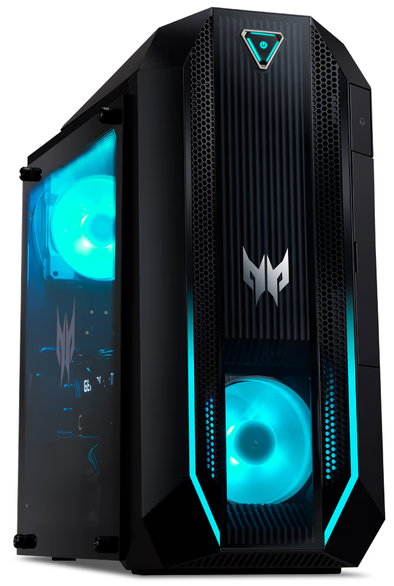
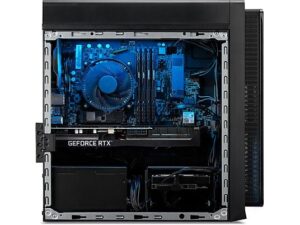
The Acer Predator Orion 3000 features a 28-liter compact chassis with tempered glass side panels, subtle RGB lighting, and clean cable management. This gaming desktop looks modern without being overly flashy, making it ideal for both gaming setups and home offices. Its compact footprint ensures it fits easily under desks while still housing powerful components.. Unlike oversized towers with flamboyant RGB lighting, this unit sits in a 28‑liter chassis that’s understated but functional — a smart choice for players who want power without visual clutter.
Physically, the case manages to balance airflow and aesthetic: there’s enough ventilation and internal room for full‑length GPUs, yet the overall footprint remains reasonable so it can sit beside a desk or entertainment center. Some reviews mention that the plastic elements don’t feel premium, but overall this is adequate quality given the price point.
The front and side panels are straightforward, and while there’s little in the way of flashy customization out of the box, the build offers good accessibility — an important factor for anyone who expects to upgrade down the line.
Depending on configuration, the Orion 3000 can range from a mid‑tier gaming rig to something capable of pushing high‑end AAA titles with solid results. Typical specs from popular configurations include:
CPU: Intel Core i7‑10700 or newer Intel 13th‑gen i7‑13700F in refreshed models
GPU: Nvidia GeForce RTX 3070 (8GB) or Radeon equivalents in some iterations
RAM: 16GB DDR4 or DDR5 (expandable)
Storage: SSD boot drive (often 512GB – 1TB) + optional HDD
Networking: Wi‑Fi 6 + Ethernet
This hardware balance caters well to the vast majority of modern games and general productivity tasks. The CPU and GPU pairing — particularly an i7 plus RTX 3070 — still holds its own in 2026, especially at 1080p and 1440p gaming.
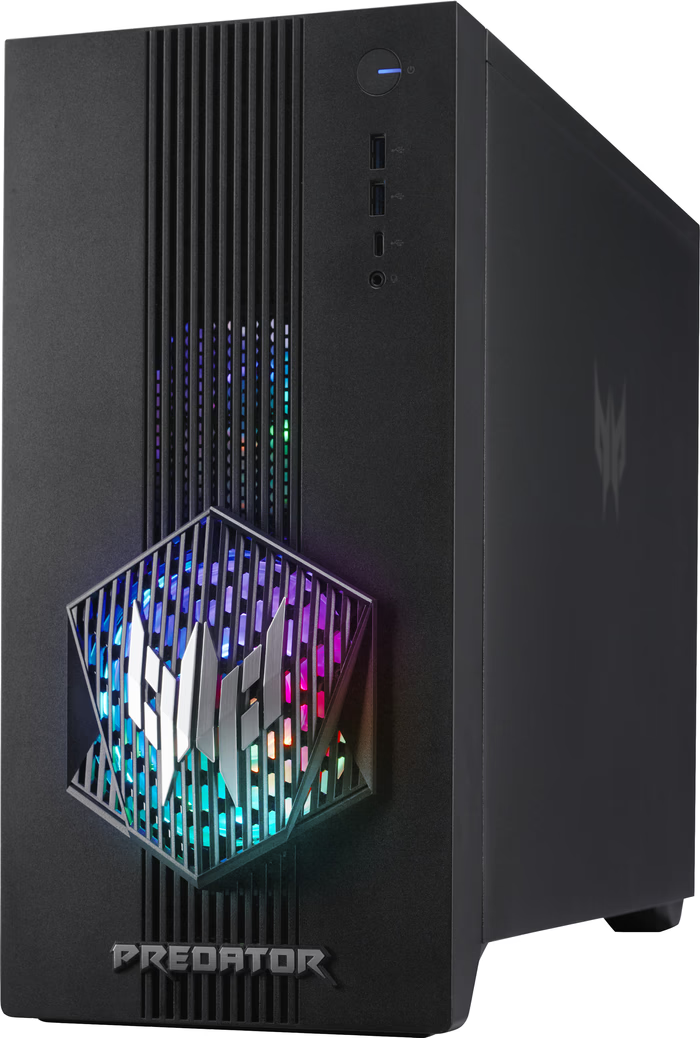
Performance is where the Predator Orion 3000 shines most. Multiple reviewers have benchmarked the system across a suite of popular games and synthetic tests.
In real-world gaming benchmarks:
Cyberpunk 2077 (1080p Ultra) ~76 FPS
Total War: Warhammer III (1080p Ultra) ~78 FPS
Dirt 5 (1080p Ultra) ~98 FPS
The Acer Predator Orion 3000 handles AAA titles with ease. VR support and Nvidia DLSS help improve frame rates for the most demanding games.
In simple terms, these performance levels mean:
✔ Excellent 1080p gaming across almost all modern AAA titles — often hitting 70+ FPS on Ultra settings.
✔ Very solid 1440p gaming — many games are comfortably playable at that resolution without major compromises.
✔ 4K gaming? Possible, but not ideal — particularly with ray‑tracing or ultra‑heavy titles.
In action, games like Forza Horizon, Tomb Raider, and even Cyberpunk 2077 hold up well, though ray tracing definitely cuts into frame rates and may require DLSS or other scaling technologies to smooth things out.
https://computeralltech.com/acer-predator-helios-300/
https://computeralltech.com/wp-admin/post.php?post=221&action=edit
If you’re into VR gaming, the Orion 3000 is VR‑ready — benchmarks with headsets like the Valve Index show solid results without noticeable stutter or lag.
While gaming performance is the star of the show, the Orion 3000 also functions as a capable productivity machine.
Benchmarks like PCMark and Cinebench indicate respectable general performance. This means:
✅ Light to moderate video editing, photo editing, and office work run smoothly
✅ Streaming gameplay while gaming is feasible with some settings tweaks
✅ Multitasking across dozens of Chrome tabs and apps feels responsive
It isn’t a workhorse workstation designed for intensive professional content creation, but for most hobbyist creators and streamers it’s plenty capable.
Stock fans manage airflow adequately, but under extended gameplay, noise levels increase. CPU temperatures can reach 80–90°C under full load. While acceptable for gaming, enthusiasts may consider aftermarket cooling solutions for quieter performance.
Many owners report that the stock CPU cooler is mediocre and that under heavy load the CPU can run warm (sometimes reaching 80–90°C).
The fans do their job, but they can get loud during prolonged gaming sessions, which may bother noise‑sensitive players.
Cooling pros and cons:
✔ Good airflow given the compact case
✔ GPU and CPU temperatures stay within safe limits
✖ Stock cooler isn’t great
✖ Fans can be loud under load
✖ Limited advanced fan control without third‑party tools
For many users, investing in a better CPU cooler or tweaking fan profiles improves the noise/heat balance.
RAM and storage are upgradeable, but GPU and PSU options are limited due to proprietary components. Users should plan their purchases carefully to maximize future flexibility.
One of the big reasons some gamers build their own PC is future upgrades — and this is where prebuilt desktops like the Orion 3000 face limitations.
While RAM can typically be upgraded and there are some free storage bays, the motherboard and internal power supply are proprietary — meaning they’re not standard ATX parts.
This leads to a few consequences:
❗ You can expand RAM, but certain speeds or models might not work reliably.
❗ Upgrading the PSU or GPU to significantly more powerful components can be challenging due to proprietary connectors and chassis constraints.
❗ Some owners reported BIOS or stability issues even after attempted upgrades.
So while you can upgrade parts like RAM and storage, the platform isn’t as flexible as a custom‑built PC.
Here’s where the Orion 3000 really earns its stripes. As a prebuilt gaming desktop, it delivers:
🔹 Strong performance for mainstream AAA gaming
🔹 Compact and functional design
🔹 Good productivity chops
🔹 Boosters like Wi‑Fi 6 and USB‑C support
However, you should temper expectations:
⚠️ SSD storage on stock units can be small (often 512GB), meaning you may quickly run out of space for large game libraries.
⚠️ Upgrade limitations mean longevity could be shorter than a custom rig.
For gamers who want plug‑and‑play performance without the hassle of building, the Orion 3000 is excellent value. For enthusiasts who love tweaking hardware and swapping parts, a custom build may still be preferable.
The Acer Predator Orion 3000 is a compelling choice for gamers who want serious gaming performance in a compact, out‑of‑the‑box solution. Its balance of CPU and GPU power, strong 1080p and 1440p frame rates, and respectable productivity performance make it a solid all‑rounder in 2026.
Pros:
✔ Excellent gaming at 1080p/1440p
✔ Compact and accessible design
✔ VR‑ready and versatile for general use
Cons:
✖ Loud fans under load
✖ Proprietary upgrade paths limit future upgrades
✖ SSD storage might be too small for heavy libraries
Overall Recommendation:
📌 Great choice for gamers and creators who want performance without building their own PC.
📌 Less ideal for those who want full hardware upgrade flexibility or near‑silent operation.