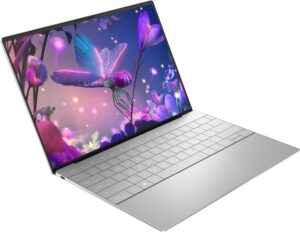
The Dell-XPS-13-Plus-Review-2026 is one of the boldest redesigns in Dell’s flagship ultrabook lineup. Known for setting the standard in the premium Windows laptop category, the XPS series has consistently delivered portability and performance. With the XPS 13 Plus, Dell shifts toward a minimalist, futuristic design, introducing a capacitive function row, an invisible haptic touchpad, and an edge-to-edge keyboard. It directly competes with devices like the MacBook Air, HP Spectre x360, and Lenovo Yoga Slim, positioning itself as a premium ultraportable for professionals and students who prioritize design and display quality.
Design
The first thing you notice about the XPS 13 Plus is its clean, ultra-modern aesthetic. The chassis is constructed from machined aluminum and glass, giving it a rigid and premium feel. It is available in refined finishes such as Platinum and Graphite, both emphasizing minimalism.
In terms of size and portability, the laptop measures approximately 11.63 x 7.84 x 0.60 inches and weighs around 2.7 pounds (1.23 kg). That makes it highly portable and ideal for commuting professionals or frequent travelers.
The most distinctive design elements include:
Edge-to-edge keyboard
Capacitive touch function row
Seamless glass palm rest with hidden haptic touchpad
Build quality is excellent, with minimal flex in the lid and a sturdy hinge mechanism. However, the futuristic design comes with a learning curve. The lack of tactile function keys and the invisible trackpad may not appeal to users who prefer traditional layouts.
Key takeaway: The XPS 13 Plus prioritizes innovation and aesthetics over conventional ergonomics.
The XPS 13 Plus features a 13.4-inch display with a 16:10 aspect ratio, offering more vertical space for productivity compared to standard 16:9 screens.
Available resolution options include:
Full HD+ (1920 x 1200)
3.5K OLED (3456 x 2160)
The OLED panel is the standout option. It delivers:
Deep blacks and high contrast
Vibrant, saturated colors
Strong color accuracy suitable for light creative work
Brightness levels are adequate for indoor use, though outdoor visibility can be limited due to the glossy finish. All configurations feature a 60Hz refresh rate, which is standard for productivity laptops but less fluid than higher-refresh competitors.
Ultra-thin bezels contribute to an immersive viewing experience while keeping the chassis compact.
Bottom line: The OLED option is visually impressive and one of the laptop’s strongest selling points.
Performance
Performance is powered by Intel Core i5 or Core i7 processors (12th or 13th generation depending on configuration), paired with:
8GB, 16GB, or 32GB LPDDR5 RAM
512GB to 2TB PCIe NVMe SSD storage
Intel Iris Xe integrated graphics
For everyday productivity tasks—web browsing, office work, streaming, and video conferencing—the XPS 13 Plus performs smoothly and responsively. Fast SSD storage ensures quick boot times and rapid file access.
In multitasking scenarios, the laptop handles multiple browser tabs and productivity applications with ease. It is also capable of light photo editing and basic video editing, though it is not designed as a workstation replacement.
Because of its thin chassis, thermal performance can be a limiting factor. During sustained heavy workloads, such as prolonged rendering, thermal throttling may occur. Fan noise becomes noticeable under load but remains moderate.
Summary: Strong productivity performance, but not intended for heavy gaming or advanced creative workflows.
Battery
Battery life varies depending on configuration, particularly the display option. In real-world mixed usage (browsing, productivity apps, streaming), users can expect approximately:
6 to 8 hours of battery life
The OLED configuration tends to drain faster compared to the Full HD+ model. While this performance is acceptable, it is not class-leading and may fall short of a full workday without charging.
On the positive side, the laptop supports fast charging via USB-C, allowing a substantial recharge within about an hour.
Verdict: Adequate battery life, but not a standout feature in this price range.
Keyboard and Audio
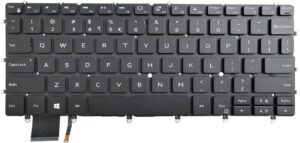
The edge-to-edge keyboard offers a modern look and larger keycaps. Key travel is relatively shallow but comfortable, and typing accuracy remains high once adjusted.
The capacitive function row replaces physical function keys with a touch-sensitive strip that toggles between media and system controls. While visually appealing, it lacks tactile feedback, which may reduce usability for some users.
The haptic touchpad, hidden beneath the glass palm rest, provides consistent feedback but requires time to adapt to due to its invisible boundaries.
Audio performance is surprisingly strong for a compact laptop. The quad-speaker system produces:
Clear vocals
Good volume levels
Balanced sound for media and video calls
Bass remains limited, as expected in thin ultrabooks.
The HD webcam performs adequately in well-lit environments and is suitable for virtual meetings, though low-light performance is average.
Ports
Port selection is minimal. The XPS 13 Plus includes:
Two Thunderbolt 4 (USB-C) ports
There are no USB-A ports, no HDMI port, and no headphone jack built into the chassis.
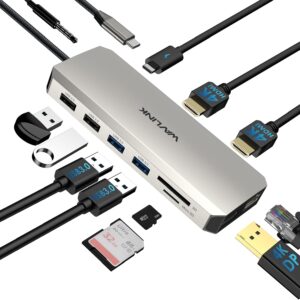
While Thunderbolt 4 offers high-speed connectivity and display support, most users will need adapters or a docking station for external devices. With only two ports available, connecting peripherals while charging can become restrictive.
Practical implication: Excellent for minimal setups, less convenient for users with multiple accessories.
Price and Value
The Dell-XPS-13-Plus-Review-2026 sits firmly in the premium ultrabook category. Pricing aligns with high-end competitors like the MacBook Air and HP Spectre series.
What you’re paying for:
Premium materials and build quality
Striking modern design
High-quality OLED display option
Reliable productivity performance
However, some competitors offer:
Longer battery life
More ports
More traditional (and arguably more practical) input methods
Value assessment: Worth it for users who prioritize design and display quality, but less compelling for those seeking maximum battery life or connectivity.
Pros and Cons
Pros
Premium aluminum and glass construction
Lightweight at approximately 2.7 pounds (1.23 kg)
Excellent 3.5K OLED display option
Fast SSD and smooth multitasking performance
Clear, well-balanced quad-speaker system
Cons
Only two USB-C/Thunderbolt ports
Average 6–8 hour battery life
Capacitive function row lacks tactile feedback
Thermal throttling under sustained heavy workloads
Learning curve with invisible haptic touchpad
Conclusion
The Dell-XPS-13-Plus-Review-2026 is a design-forward premium ultrabook that reimagines what a modern Windows laptop can look like. Its minimalist build, high-resolution OLED display, and solid productivity performance make it appealing to professionals and students who value aesthetics and portability.
However, the laptop demands compromises. Limited ports, average battery life, and unconventional input methods may not suit every user. For those willing to embrace its forward-thinking design, the XPS 13 Plus offers a refined and visually impressive experience. For others, more traditional competitors may provide better everyday practicality.
In short, the XPS 13 Plus is innovative, elegant, and capable — but not without trade-offs.
 1
1
 is one of the boldest redesigns in Dell’s flagship ultrabook lineup. Known for setting the standard in the premium Windows laptop category, the XPS series has consistently delivered portability and performance. With the XPS 13 Plus, Dell shifts toward a minimalist, futuristic design, introducing a capacitive function row, an invisible haptic touchpad, and an edge-to-edge keyboard. It directly competes with devices like the MacBook Air, HP Spectre x360, and Lenovo Yoga Slim, positioning itself as a premium ultraportable for professionals and students who prioritize design and display quality.