 11
11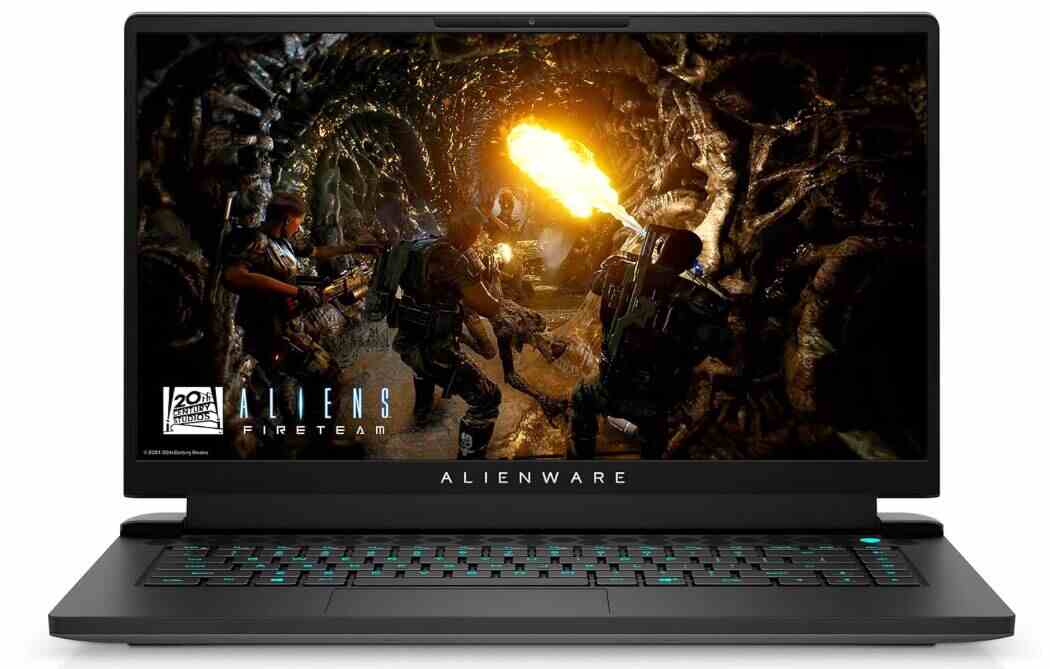
The Most Powerful 15-Inch Gaming Laptop Alienware Has Ever Built?
| QUICK VERDICT
The Alienware m15 R7 is one of the most capable 15-inch gaming laptops on the market. Available in both Intel Core i7-12700H and AMD Ryzen 7 6800H configurations with GPU options ranging from RTX 3060 to RTX 3080 Ti, it offers serious gaming firepower in a premium — if slightly bulky — package. Its display, keyboard, and gaming benchmarks are all class-leading, while fan noise, short battery life (on the Intel model), and a heavy power brick are the main drawbacks. Starting around $1,449, it is not the cheapest option, but it is worth every dollar for dedicated gamers. |
| ⚠ IMPORTANT: TWO PROCESSOR VARIANTS EXIST — KNOW WHICH ONE YOU ARE BUYING
The Alienware m15 R7 is sold in two distinct processor configurations: one powered by a 12th Gen Intel Core i7-12700H and one powered by an AMD Ryzen 7 6800H. These are NOT the same laptop. The Intel variant uses faster DDR5 4800MHz memory and is paired with higher-tier GPUs (up to RTX 3080 Ti). The AMD variant ships with DDR4-4800 and is typically found at lower price points (starting ~$1,449) with an RTX 3060. Battery life figures also differ significantly between variants. Always confirm the processor before purchasing. |
Alienware has long been synonymous with powerhouse gaming laptops, and the m15 R7 — launched in 2022 — represents the brand’s most ambitious 15-inch design yet. Succeeding the well-received m15 R6, the R7 takes an evolutionary approach to design while making major leaps under the hood, introducing either the 12th Gen Intel Core i7-12700H or AMD Ryzen 7 6800H, paired with NVIDIA’s latest RTX 30-series graphics cards and a 240Hz QHD or 360Hz FHD display.
The question is: does the Alienware m15 R7 justify its premium price? This comprehensive review covers everything from gaming performance and display quality to thermal management, battery endurance, and build quality — drawing on extensive hands-on testing across a wide range of modern titles and productivity workloads.
The m15 R7 comes in several configurations. Below is a comparison of the key specifications across the two main processor variants:
| Specification | Intel Model (i7-12700H) | AMD Model (Ryzen 7 6800H) |
| CPU | Intel Core i7-12700H (14-core, 20-thread, up to 4.7 GHz) | AMD Ryzen 7 6800H (8-core, 16-thread, up to 4.7 GHz) |
| GPU Options | RTX 3060 / RTX 3070 Ti / RTX 3080 Ti | RTX 3060 / RTX 3070 Ti / RTX 3080 Ti |
| RAM (Base) | 16GB DDR5 4800MHz (dual-channel, upgradeable to 64GB) | 16GB DDR4-4800 (dual-channel, upgradeable to 64GB) |
| Storage | 512GB PCIe NVMe SSD (upgradeable to 4TB) | 512GB PCIe NVMe SSD (upgradeable to 4TB) |
| Display (Standard) | 15.6-inch QHD (2560×1440) 240Hz 2ms ComfortView Plus | 15.6-inch FHD (1920×1080) 165Hz |
| Display (Alt.) | 15.6-inch FHD (1920×1080) 360Hz available | N/A |
| Battery | 89 Whr (approx.) | 86 Whr |
| Charging | 240W AC Adapter | 240W AC Adapter |
| Wi-Fi | Wi-Fi 6E (AX1675) | Wi-Fi 6 (MT7921) |
| Bluetooth | 5.2 | 5.2 |
| Ports | 3x USB-A 3.2, 1x USB-C (TB4), 1x HDMI 2.1, RJ-45, 3.5mm | 3x USB-A 3.2, 1x USB-C Gen 2, 1x HDMI 2.1, RJ-45, 3.5mm |
| Webcam | 720p | 720p |
| OS | Windows 11 Home | Windows 11 Home |
| Dimensions | 14.02 x 10.73 x 0.94 inches | 14.02 x 10.73 x 0.94 inches |
| Weight | ~5.93 – 6 lbs | ~5.53 lbs |
| Starting Price | ~$1,800 – $2,000+ | ~$1,449 |
| SPEC CLARIFICATION NOTE
Battery capacity figures vary slightly between published reviews — the Intel variant is reported as either 86Whr or 89Whr depending on SKU and reviewer unit. The AMD variant consistently reports 86Whr. We recommend confirming the exact battery specification on Dell’s product page for your specific SKU before purchasing. |
PROS |
CONS |
| ✔ Exceptional gaming performance across all modern AAA titles | ✘ Short battery life on Intel variant (2-4 hours under load) |
| ✔ Intel Alder Lake i7-12700H (P+E core architecture) delivers outstanding multi-threaded performance | ✘ Large, heavy 240W power brick is cumbersome for travel |
| ✔ Vibrant QHD 240Hz or FHD 360Hz display options with wide color gamut | ✘ Fans are noticeably loud under any sustained load |
| ✔ Premium build quality with solid, creak-free chassis | ✘ Plastic chassis despite premium price point |
| ✔ Effective thermal management keeps heat away from contact points | ✘ 512GB SSD storage feels inadequate for modern games |
| ✔ Extensive port selection including Thunderbolt 4 and Wi-Fi 6E | ✘ 720p webcam is below average quality |
| ✔ AMD variant delivers class-leading battery life (~9 hours light use) | ✘ Tinny, bass-light audio from downward-firing speakers |
| ✔ DDR5 memory (Intel) and upgradeable storage | ✘ Trackpad placement is slightly off-center and not ideal |
| ✔ Iconic Alienware design with customizable RGB lighting |
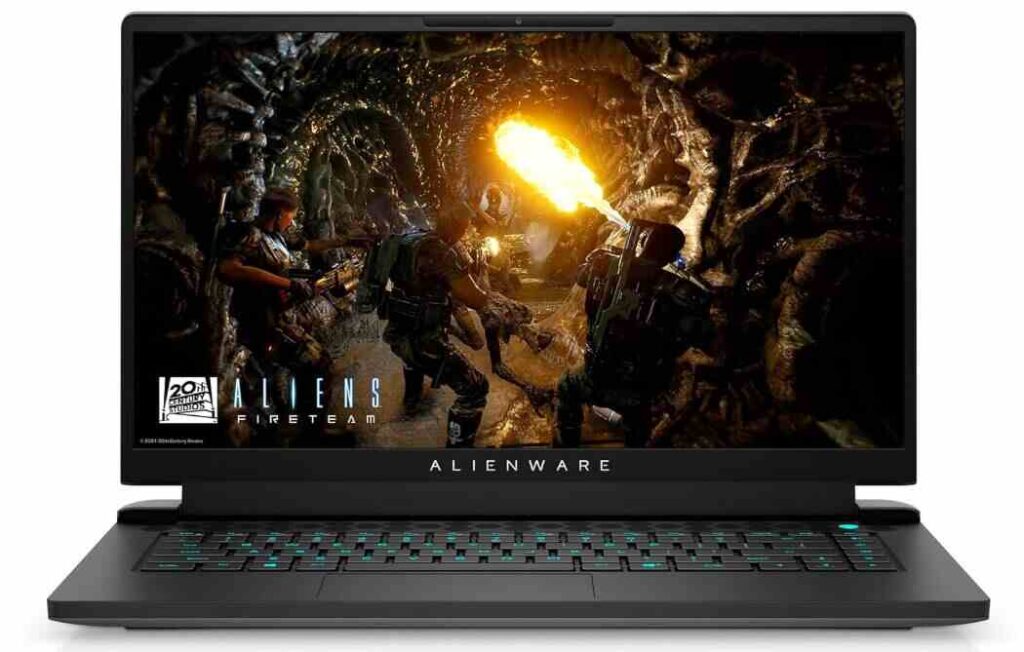
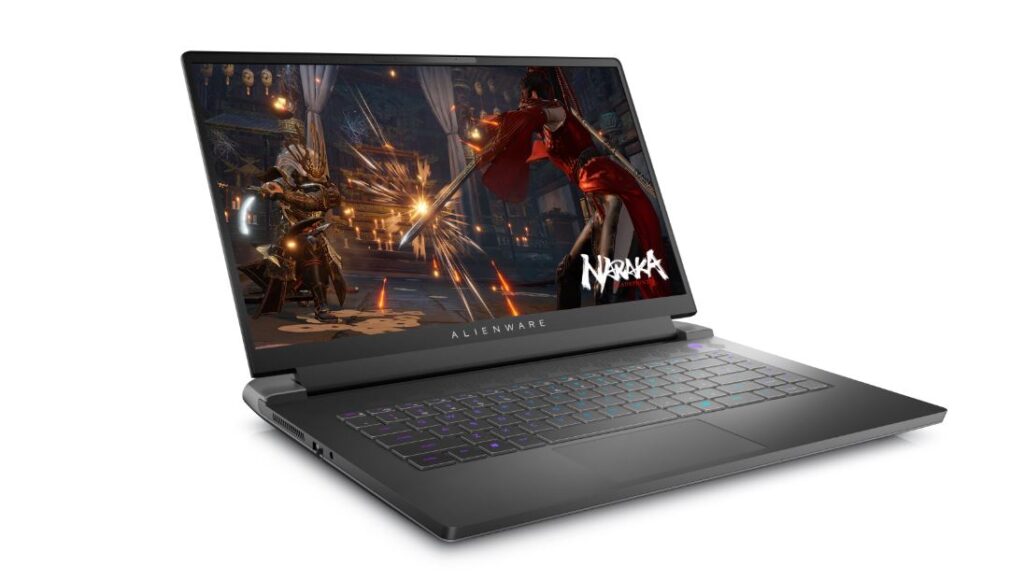
The Alienware m15 R7 carries forward the brand’s “Legend 2.0” design language — a look that Alienware has refined over several generations and shows no signs of abandoning. That is not necessarily a criticism. At a glance, the m15 R7 is unmistakably an Alienware laptop: a glowing alien-head logo on the lid, a large etched ’15’ beneath it, a ring of customizable RGB lighting encircling the rear exhaust panel, and a honeycomb-patterned ventilation grille sitting above the keyboard. It is a confident, distinctive aesthetic.
The chassis is made from plastic — a concession that some buyers will find disappointing at this price point. Alienware’s older laptops used more magnesium alloy construction, and the move to plastic is a cost and weight tradeoff. That said, the build quality is remarkably solid for plastic: there is no creaking under pressure, and the overall rigidity is impressive. The lid does not flex excessively when opened, and the hinge mechanism feels smooth and durable.
Only one color option is available — ‘Dark Side of the Moon’ — a dark, shimmering charcoal finish. While it looks excellent and has a near-matte surface that resists fingerprints well, the lack of color variety may be a drawback for those who want more visual customization beyond RGB lighting.
Portability is a real concern. The m15 R7 weighs between 5.53 and 6 lbs depending on configuration, and that weight does not tell the whole story. The included 240W power brick is enormous — close to a kilogram on its own — and given the limited battery life of the Intel variant, you will almost always need to carry it. For desk-bound gamers, this is a non-issue. For anyone expecting to move frequently between locations, the total carry weight can be a burden.
Alienware offers two primary display options with the m15 R7: a QHD (2560×1440) 240Hz panel with 2ms response time and ComfortView Plus support, and an FHD (1920×1080) panel in either 165Hz or 360Hz variants. The QHD 240Hz option is the premium choice and the one most commonly paired with the Intel Core i7-12700H model.
The 15.6-inch QHD panel is excellent by gaming laptop standards. Colors are rich and vivid, brightness is strong (reaching close to 300 nits in testing), and the wide viewing angles mean image quality holds up even when the screen is tilted. The panel covers 100% of the sRGB color space, making it a genuinely usable display for color-sensitive work like photo editing — not just gaming.
The 165Hz FHD panel found in the AMD variant is no slouch either. It delivers a crisp, clean image with smooth G-Sync-assisted refresh, and the pixel density at 1080p on a 15.6-inch screen is perfectly sharp for most users. The 360Hz variant, available as an upgrade, is specifically targeted at competitive esports players who prioritize response time and frame rate ceiling above resolution.
One minor limitation: IPS panels — which these displays use — cannot achieve true black. Dark scenes display as deep grey rather than black, which is a known characteristic of the technology. OLED alternatives are not offered on the m15 R7. For most gaming and media consumption use cases, this is not a meaningful drawback.
The keyboard on the m15 R7 is one of its genuine highlights. Keys offer approximately 1.8mm of travel — a satisfying depth that allows for confident, accurate typing. The layout is full-size without a numpad (a trade-off that creates more comfortable key spacing), and dedicated media keys on the right edge — including mute, microphone, and volume controls — add everyday convenience. Per-key RGB lighting is available as a paid upgrade, with the base configuration offering single-zone backlighting.
There is a small amount of flex in the keyboard deck when pressing firmly on center keys, which is expected from a plastic chassis. In practice, it is only noticeable under deliberately heavy pressure and does not affect normal typing or gaming. Typing speeds above 96 words per minute have been recorded comfortably on this keyboard.
The trackpad is a more mixed story. It measures approximately 4.125 x 2.375 inches — adequate but not generous. Its placement is slightly left of center, which can feel awkward for right-handed users, and the palm rest on the left side of the keyboard is narrower as a result. The integrated buttons are generally accurate but can register the wrong click when pressed near the center of the touchpad. For gaming, a dedicated mouse is strongly recommended regardless, making this a secondary concern for the target audience.
Port selection on the m15 R7 is strong, particularly in a market where many thin-and-light laptops have reduced physical connectivity. All models include three USB-A 3.2 ports, one USB-C port (Thunderbolt 4 on the Intel model, Gen 2 on the AMD), an HDMI 2.1 output, a 2.5 Gbps RJ-45 Ethernet port, and a 3.5mm headphone jack. Port layout is thoughtful: the two rear USB-A ports and HDMI sit at the back panel, while one USB-A and the audio jack are on the left side, keeping cables organized during desk use.
Wireless connectivity includes Wi-Fi 6E on the Intel variant (enabling access to the less congested 6GHz band) and Wi-Fi 6 on the AMD model, along with Bluetooth 5.2 on both. HDMI 2.1 output enables 4K display connectivity at high refresh rates for external monitor setups.
Gaming performance is where the Alienware m15 R7 truly earns its reputation. Regardless of which processor variant you choose, the combination of modern Nvidia RTX graphics with a high-refresh display produces an experience that handles virtually every modern AAA title at playable settings.
The flagship Intel configuration — pairing the Core i7-12700H with the RTX 3070 Ti — is a powerhouse. The i7-12700H features Intel’s hybrid performance/efficiency core architecture (6 performance cores + 8 efficiency cores), which provides excellent sustained performance under load while managing thermals more intelligently than previous generations.
In gaming benchmarks, the RTX 3070 Ti drives the QHD display with ease. Red Dead Redemption 2 at maximum Ultra settings with every graphical option pushed to the limit averages approximately 77fps — a figure that surpasses some RTX 3080 Ti configurations on competing laptops at the same settings. Cyberpunk 2077 with ray tracing enabled sees performance decrease, but remains above 60fps with minor quality adjustments. Running most modern titles at 1440p high settings at 90fps or above is well within reach.
The RTX 3060 configuration with the Intel CPU targets 1080p gaming and handles it excellently. At 1080p on high-to-ultra presets, games such as Forza Horizon 5 average above 80fps, Halo Infinite averages around 60fps on Ultra, and Microsoft Flight Simulator on High settings averages around 76fps — respectable figures for a notoriously demanding simulator. Final Fantasy XIV comfortably exceeds 120fps in most scenarios, easily saturating the 165Hz display.
The AMD configuration delivers competitive gaming performance, though it trades the raw CPU firepower of the Intel model for improved battery life (more on that below). In direct gaming benchmarks against Intel-based competitors with the same RTX 3060 GPU, the m15 R7 AMD variant either leads or is closely matched. Grand Theft Auto V at 1080p Very High averages 95fps, placing it ahead of both the MSI Sword 15 and ASUS TUF Gaming F15 at the same settings. Borderlands 3 at Badass settings achieves 72fps, ahead of all tested competitors.
The Ryzen 7 6800H’s CPU performance is competitive for gaming but falls behind Intel’s i7-12700H in multi-threaded productivity workloads. Geekbench 5 multi-core scores (~9,336) trail the Intel variant’s scores, though the gap is less meaningful in practical gaming scenarios. The AMD variant’s primary advantage lies not in outright performance but in its dramatically better battery endurance.
| Game Title | Settings | RTX 3060/i7 | RTX 3070 Ti | RTX 3060/AMD |
| Red Dead Redemption 2 | 1440p Ultra / All Max | ~77 fps avg (RTX 3070 Ti) | ~60 fps avg (RTX 3060) |
| Cyberpunk 2077 | 1440p + Ray Tracing | Above 60fps w/ tweaks | N/A (1080p only) |
| Microsoft Flight Simulator | 1080p High / Ultra | 76.5 avg / 61 avg | ~61 avg |
| Forza Horizon 5 | 1080p Ultra / Extreme | 82.3 avg / 66.4 avg | ~82 avg |
| Halo Infinite | 1080p High / Ultra | 62.2 avg / 54.9 avg | ~62 avg |
| Final Fantasy XIV | 1080p Max (Raids) | 96+ fps | 90+ fps |
| Grand Theft Auto V | 1080p Very High | ~90 fps | ~95 fps |
| Overwatch 2 | 1080p Epic | ~200 fps (V-Sync off) | ~200 fps |
| NOTE ON BENCHMARK SOURCES
Frame rate figures are drawn from multiple reviewed configurations. Minor variations between units are expected due to differences in driver versions, thermal conditions, and power profiles during testing. Always run the m15 R7 plugged in for maximum performance — unplugged gaming significantly reduces power limits and frame rates. |
Alienware has invested heavily in the m15 R7’s cooling system, and it shows in thermal results. During extended gaming sessions, CPU temperatures remain manageable, and the GPU rarely exceeds 64 degrees Celsius under sustained load — impressive for a laptop this thin. Critically, the primary exhaust vents are positioned at the rear of the chassis, meaning most of the heat exits away from the user rather than blowing toward the screen or across the keyboard deck.
The bottom of the chassis can reach temperatures up to 56 degrees Celsius under maximum load — noticeably warm if the laptop is placed directly on bare legs. A laptop cooler or firm, flat surface is recommended during intensive gaming sessions. The area between the G and H keys, where palms naturally rest, stays at a more comfortable 34 degrees Celsius even under stress, which is well within acceptable limits.
The cost of this effective cooling is fan noise. The m15 R7 has some of the loudest fans found in any gaming laptop of its generation. Fans spin up not just during demanding games but also during basic tasks like web browsing, video streaming, or navigating system settings. Even in the balanced thermal profile, the fans produce a constant white noise hum during moderate workloads. Switching to a quieter profile reduces fan speed but slightly compromises performance. A quality pair of gaming headphones will largely neutralize this issue during gaming, but it remains an annoyance during quieter, everyday use.
On a positive note, the thermal design prevents significant thermal throttling — a problem that plagued earlier Alienware m15 models. Under extended stress testing with Metro Exodus running 15 consecutive benchmark loops, performance remained consistent with no noticeable degradation in frame rates across the test duration. The improved heat pipes and enlarged bottom vents are doing their job.
Battery life is one area where the Intel and AMD variants of the m15 R7 diverge dramatically, and the difference is critical for buyers considering portability.
On the Intel variant, battery life is the machine’s most significant weakness. The 86-89Whr battery delivers approximately 3 hours of real-world use under light loads, and drops to under 2 hours during active gaming. Video playback can stretch to nearly 4 hours. These numbers are unimpressive even by gaming laptop standards — competitors like the ASUS ROG Zephyrus G14 last well over 8 hours. Practically speaking, Intel m15 R7 owners should plan to always have the power adapter within reach.
The large 240W power brick is therefore an unavoidable daily carry item for Intel m15 R7 users who do not work exclusively at a desk. At nearly a kilogram, the brick alone adds significant weight to any bag.
The AMD Ryzen 7 6800H variant tells a very different story. In standardized battery life testing (150 nits brightness, web browsing, streaming, and OpenGL workloads), the AMD m15 R7 lasted an impressive 8 hours and 57 minutes — an extraordinary figure for a gaming laptop and one that beats the ASUS TUF Gaming F15 (7:35) and MSI Sword 15 (3:55) by a significant margin. Real-world mixed use (office work plus occasional 30-minute gaming sessions) yields around 5 hours before requiring a charge.
This performance is attributed to the efficiency of the Ryzen 7 6800H combined with Nvidia’s Advanced Optimus technology, which dynamically switches between the integrated AMD Radeon graphics and the dedicated RTX 3060 depending on workload — maximizing battery life during non-gaming tasks and seamlessly handing off to the RTX GPU when performance is needed.
| BATTERY RECOMMENDATION
If portability and battery life matter to you, the AMD Ryzen 7 6800H variant is the clear choice. If outright gaming performance and maximum GPU headroom are your priority and you game primarily at a desk, the Intel Core i7-12700H configuration — particularly with the RTX 3070 Ti or 3080 Ti — is the superior pick. |
The m15 R7 uses two downward-firing speakers positioned near the front of the chassis. At moderate volumes, the speakers handle dialogue and ambient gaming sounds adequately. At maximum volume, distortion is minimal and audio remains clear. However, the overall sound profile is thin and bass-light — explosions land with a thud rather than impact, and music playback reveals a distinct tinniness in the low midrange. The Dolby Access software is included and provides a handful of audio presets, but the settings make only marginal differences to the underlying speaker quality. For immersive gaming audio or music listening, an external headset or speakers are strongly recommended.
The 720p webcam is the m15 R7’s most pedestrian component. Colors are accurate under good lighting, but image detail is soft, and low-light performance is poor — resulting in grainy, artifact-filled video. There is no hardware privacy shutter and no fingerprint scanner for Windows Hello authentication. These omissions are not unusual for gaming laptops at this price point, but they are worth noting for buyers who use their laptop for video calls or biometric security.
The m15 R7 ships with Windows 11 Home and a suite of Alienware-specific software. Alienware Command Center is the most important of these: it provides granular control over the RGB lighting across all zones, lets users create custom color profiles, adjust thermal/performance modes (Quiet, Balanced, Full Speed), and displays real-time system performance metrics. It is a well-designed utility that genuinely adds value. The Command Center also houses power limit adjustment and CPU/GPU overclocking tools for advanced users — the Core i7-12700H is fully unlocked for overclocking.
Intel’s Extreme Tuning Utility (XTU) can also be used to push additional performance on the Intel variant. Users looking to extract maximum CPU performance should update to the latest firmware and drivers before experimenting with overclocking, as Alienware frequently releases updates that improve stability and thermal management.
The base Windows 11 installation includes a handful of unwanted third-party applications (Adobe Express, Disney+, Spotify) typical of OEM builds. These can be removed through the standard ‘Add or Remove Programs’ setting with minimal effort.
Upgradability is a genuine strength. Removing eight Phillips screws from the bottom panel reveals two DDR4/DDR5 memory slots (both occupied on the base 16GB unit) and two M.2 storage slots — only one populated from the factory, leaving room for an easy storage expansion. The Wi-Fi module is also accessible for replacement, and the battery appears user-replaceable with adequate disassembly. For a machine expected to last several years, the ability to upgrade RAM to 64GB and storage to 4TB significantly extends its useful lifespan.
The Alienware m15 R7 is designed for a specific type of buyer, and it delivers exceptionally well for that audience.
It is an ideal choice for:
It may not be the best fit for:
| Laptop | Starting Price | Key Config | Battery | Key Distinction |
| Alienware m15 R7 (Intel) | ~$2,000 | i7-12700H + RTX 3070 Ti | ~3 hrs | Best-in-class gaming, poor battery |
| Alienware m15 R7 (AMD) | ~$1,449 | R7 6800H + RTX 3060 | ~9 hrs | Best battery in class, good gaming |
| Alienware X15 R2 | ~$2,200+ | i7-12700H + RTX 3070 Ti | ~4 hrs | Thinner, more portable, same perf |
| ASUS ROG Zephyrus G14 | ~$1,499 | R9 6900HS + RTX 3060 | ~8 hrs | Lighter, great battery, smaller 14″ |
| ASUS TUF Gaming F15 | ~$1,099 | i7-12700H + RTX 3060 | ~7.5 hrs | More affordable, lighter, good perf |
| MSI Sword 15 | ~$1,349 | i7-12650H + RTX 3060 | ~3.9 hrs | Cheaper but slower, less refined |
| Razer Blade 15 | ~$2,499 | i9-12900H + RTX 3080 Ti | ~4 hrs | Premium build, thinner, much pricier |
For users who want a more portable Alienware without sacrificing gaming performance, the Alienware X15 R2 is the natural upgrade — it is thinner, lighter, and nearly as fast. For budget-conscious buyers, the ASUS TUF Gaming F15 offers surprisingly competitive gaming performance at a significantly lower price, though it lacks the Alienware’s build quality refinement and display options.
| OVERALL RATING
Gaming Performance: 9.5/10 | Display Quality: 9/10 | Design & Build: 8/10 | Keyboard: 8.5/10 | Thermals: 8/10 | Battery (Intel): 5/10 | Battery (AMD): 9.5/10 | Value: 8/10 | OVERALL: 8.5/10 |
The Alienware m15 R7 is a genuinely exceptional gaming laptop that makes a compelling case for its premium price. Whether you choose the Intel Core i7-12700H model for maximum gaming headroom or the AMD Ryzen 7 6800H configuration for class-leading battery life, you are getting one of the most well-rounded 15-inch gaming laptops available in 2022.
Its gaming performance is outstanding — handling modern AAA titles at 1440p with ease on the RTX 3070 Ti, and delivering smooth 1080p gaming on the RTX 3060. The QHD 240Hz display is vivid and responsive, the keyboard is excellent, thermal management is solid, and the build quality is impressive despite the plastic chassis. The Alienware Command Center provides deep customization, and the upgrade path for RAM and storage ensures the machine will remain relevant for years.
The compromises are real but predictable: fan noise is loud, the Intel variant’s battery life is inadequate for untethered use, the power brick is enormous, and the webcam and speakers are unremarkable. None of these are deal-breakers for the target user — a gamer who plays primarily at a desk and values performance above portability.
If you are in the market for a serious gaming laptop and your budget stretches to $1,449 or beyond, the Alienware m15 R7 belongs at the top of your shortlist. For the AMD model, the combination of excellent gaming and near-ultrabook battery life is almost without rival at its price point. For the Intel model, the sheer gaming performance available — especially at the RTX 3070 Ti tier — makes it worth the battery life trade-off for dedicated gamers.
Yes — it is among the best gaming laptops in its generation. With GPU options up to the RTX 3080 Ti and display options up to QHD 240Hz, it handles every modern AAA game at high-to-maximum settings. The RTX 3070 Ti configuration is particularly impressive, outperforming some competitors with higher-tier GPUs at equivalent price points.
The Intel Core i7-12700H variant offers higher multi-threaded CPU performance, DDR5 memory, Wi-Fi 6E, and Thunderbolt 4. It is typically configured with higher-tier GPUs. The AMD Ryzen 7 6800H variant uses DDR4 memory and Wi-Fi 6, and starts at a lower price point with the RTX 3060. Critically, the AMD variant delivers nearly 9 hours of battery life versus the Intel model’s 3 hours — a major difference for users who move away from a power outlet.
Yes. Both variants feature two accessible RAM slots supporting upgrades up to 64GB, and two M.2 storage slots with one available for expansion from the factory. The bottom panel is user-accessible with standard Phillips screws. The Wi-Fi module and battery are also replaceable.
Yes, though it is optimized for gaming. The Intel Core i7-12700H’s 14-core architecture handles demanding video editing, 3D rendering, and photo editing tasks with speed. Adobe Lightroom and Photoshop workflows show measurable performance improvements over older-generation desktop competitors. The QHD display’s 100% sRGB coverage also benefits color-accurate creative work.
Very loud, particularly under load. The fans spin up during basic tasks like web browsing and are audible even in balanced mode during light use. During gaming or sustained CPU/GPU loads, the noise is significant. Investment in a quality pair of gaming headphones is strongly recommended and largely mitigates the issue during gaming sessions.
It depends on the student’s needs. For engineering, computer science, or creative media students who need serious computing and rendering power, it is an excellent choice — provided they primarily use it at a desk. For students who carry their laptop to lectures and need all-day battery life, the Intel variant’s poor battery life is a significant drawback. The AMD variant, with its near-9-hour endurance, is far more practical for mobile academic use.