 11
11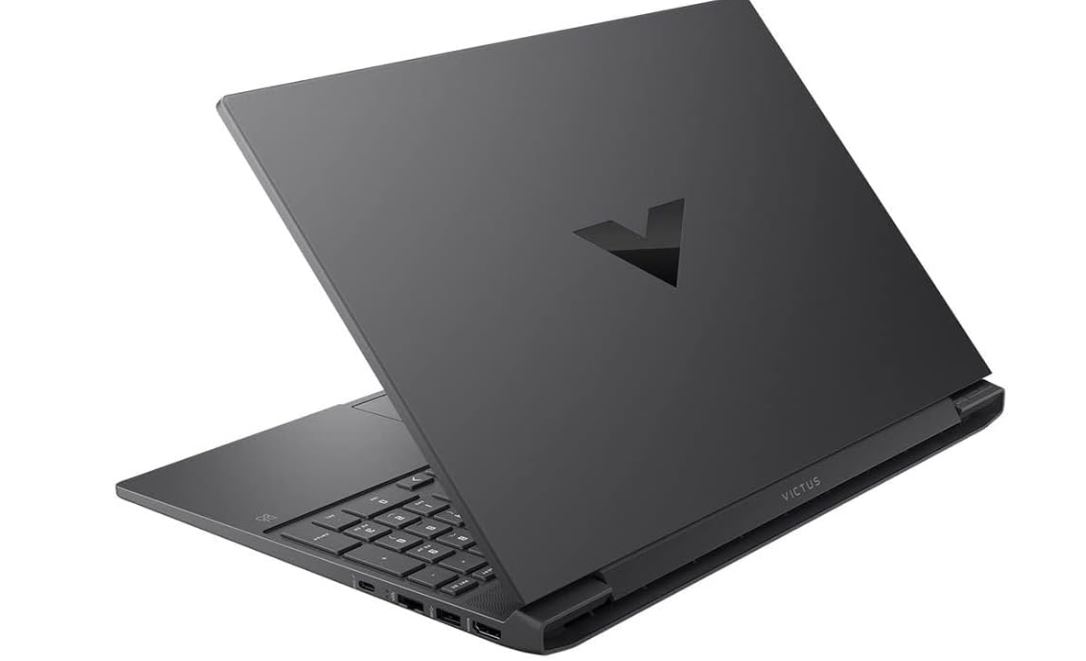
The HP Victus 15 is HP’s long-running answer to the question: “How much gaming can I get for under $1,000?” Since its debut in 2022, the Victus 15 has evolved through multiple hardware refreshes — from the RTX 3050 Ti era through to the RTX 4050 and, most recently, RTX 5050-based configurations in 2025. Each generation has refined the formula while keeping the price accessible.
Across all generations, the Victus 15 delivers a consistent value proposition: a 15.6-inch, 144Hz display, mid-range dedicated GPU, and enough processing power to handle modern games and light productivity work. What it sacrifices — premium build materials, Thunderbolt 4 support, thin-and-light portability, and elite battery life in older versions — are exactly the trade-offs you’d expect at this price point.
Bottom line: The HP Victus 15 is one of the strongest budget gaming laptops on the market. If gaming performance per dollar is your top priority and you can live without a premium chassis, the Victus 15 earns a confident recommendation — particularly when purchased on sale.
| CATEGORY | SCORE | RATING |
| Gaming Performance | 8/10 | ★★★★★★★★☆☆ |
| Display Quality | 7/10 | ★★★★★★★☆☆☆ |
| Build & Design | 6/10 | ★★★★★★☆☆☆☆ |
| Keyboard & Trackpad | 7/10 | ★★★★★★★☆☆☆ |
| Battery Life (2025 model) | 9/10 | ★★★★★★★★★☆ |
| Connectivity & Ports | 6/10 | ★★★★★★☆☆☆☆ |
| Value for Money | 9/10 | ★★★★★★★★★☆ |
| OVERALL (2025 Model) | 7.5/10 | ★★★★☆ |
| ✅ PROS | ❌ CONS |
| Excellent gaming value for the price | All-plastic chassis with some flex |
| 144Hz display across all generations | No Thunderbolt 4 port on any model |
| Solid CPU performance (2025: Ryzen 7 8845HS) | Display brightness was underwhelming on 2022/2024 models |
| Impressive battery life on 2025 model (12+ hrs) | Base model GPU (RTX 2050) is underpowered for modern gaming |
| Quiet fans during gaming | Older 12th-gen Intel CPU in 2024 model feels dated |
| Clean design — doesn’t look like a “gamer” laptop | No biometric login or webcam privacy shutter |
| Available in multiple colors (Mica Silver, Performance Blue) | Trackpad is plastic and has a soft click mechanism |
| Strong productivity performance | Pre-installed bloatware (McAfee, WildTangent on some models) |
The HP Victus 15 has been refreshed three times since 2022. The table below covers the key specs of the tested configurations across all three generations, so you can compare at a glance.
| COMPONENT | SPECIFICATION |
| Processor | AMD Ryzen 7 8845HS (8-core, up to 5.1GHz turbo, 35W TDP) |
| Graphics | Nvidia GeForce RTX 4050 (6GB GDDR6, 50W TGP) |
| RAM | 16GB DDR5 (dual-channel) |
| Storage | 1TB PCIe NVMe SSD |
| Display | 15.6-inch FHD IPS, 1920×1080, 144Hz refresh rate |
| Battery | 70Wh — up to 12+ hours (video playback) |
| Wireless | Wi-Fi 6E, Bluetooth 5.3 (MediaTek) |
| Ports | 2x USB-A 5Gbps, 1x USB-C 5Gbps, HDMI 2.1, Ethernet, 3.5mm jack |
| Operating System | Windows 11 Home |
| Dimensions | 14.09 x 10.04 x 0.93 inches |
| Weight | 5.1 lbs (2.3 kg) |
| Starting Price | $899.99 (base) | $1,199.99 (as tested above) |
| COMPONENT | SPECIFICATION |
| Processor | Intel Core i7-12650H (10-core, up to 4.7GHz, 12th Gen) |
| Graphics | Nvidia GeForce RTX 4050 (6GB GDDR6) |
| RAM | 16GB DDR4 |
| Storage | 512GB PCIe NVMe M.2 SSD |
| Display | 15.6-inch FHD IPS, 1920×1080, 144Hz refresh rate |
| Battery | 77Wh — approximately 6 hours (video playback) |
| Wireless | Wi-Fi 6, Bluetooth 5.3 |
| Ports | 2x USB-A 5Gbps, 1x USB-C 5Gbps (no charging), HDMI 2.1, Ethernet, 3.5mm jack |
| Operating System | Windows 11 Home |
| Dimensions | 14.09 x 10.04 x 0.93 inches |
| Weight | 5.06 lbs (2.3 kg) |
| MSRP / Sale Price | $1,099.99 MSRP | ~$799.99 on sale |
| COMPONENT | SPECIFICATION |
| Processor | AMD Ryzen 7 5800H (8-core, up to 4.4GHz turbo) |
| Graphics | Nvidia GeForce RTX 3050 Ti (4GB GDDR6) |
| RAM | 16GB DDR4 |
| Storage | 512GB PCIe NVMe SSD |
| Display | 15.6-inch FHD IPS LED, 1920×1080, 144Hz refresh rate |
| Battery | Approximately 4 hours under load |
| Wireless | Wi-Fi 6, Bluetooth 5.2 |
| Ports | 1x USB-C 3.2 Gen 1, 2x USB-A 3.2 Gen 1, HDMI 2.1, Ethernet, SD card reader, 3.5mm jack |
| Operating System | Windows 10 Home |
| Dimensions | 14.09 x 10.04 x 0.93 inches |
| Weight | 5.06 lbs (2.3 kg) |
| Starting Price | ~$599 (base) | up to ~$1,200 (upgraded) |
One of the most remarkable things about the HP Victus 15 is that its chassis has remained largely unchanged since 2022. At 14.09 x 10.04 x 0.93 inches and hovering around 5.1 pounds, the Victus 15 isn’t a head-turner for portability, but it holds up physically well for a plastic-bodied budget laptop.
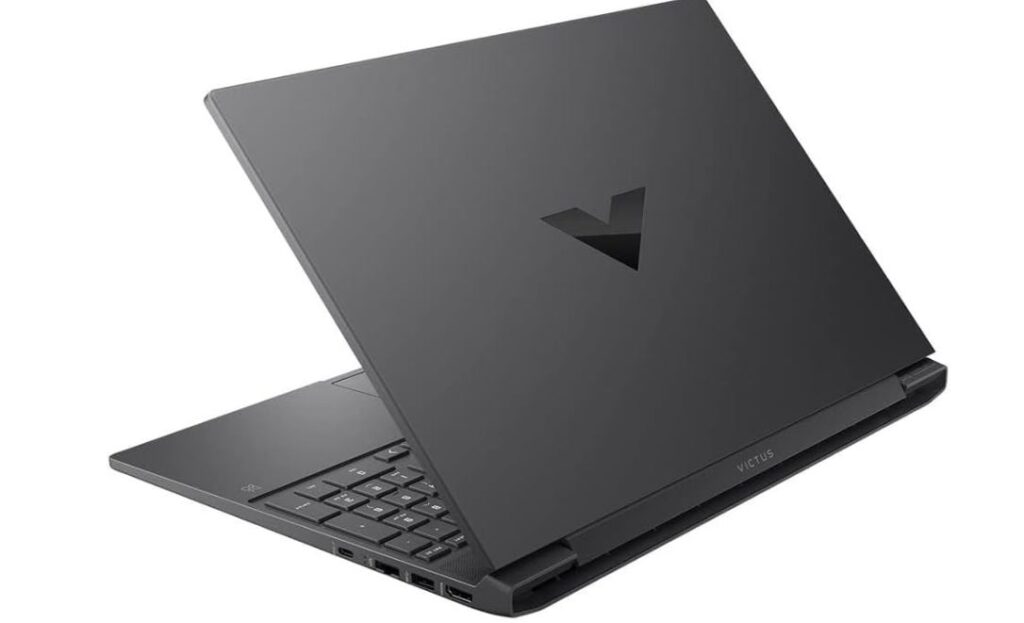
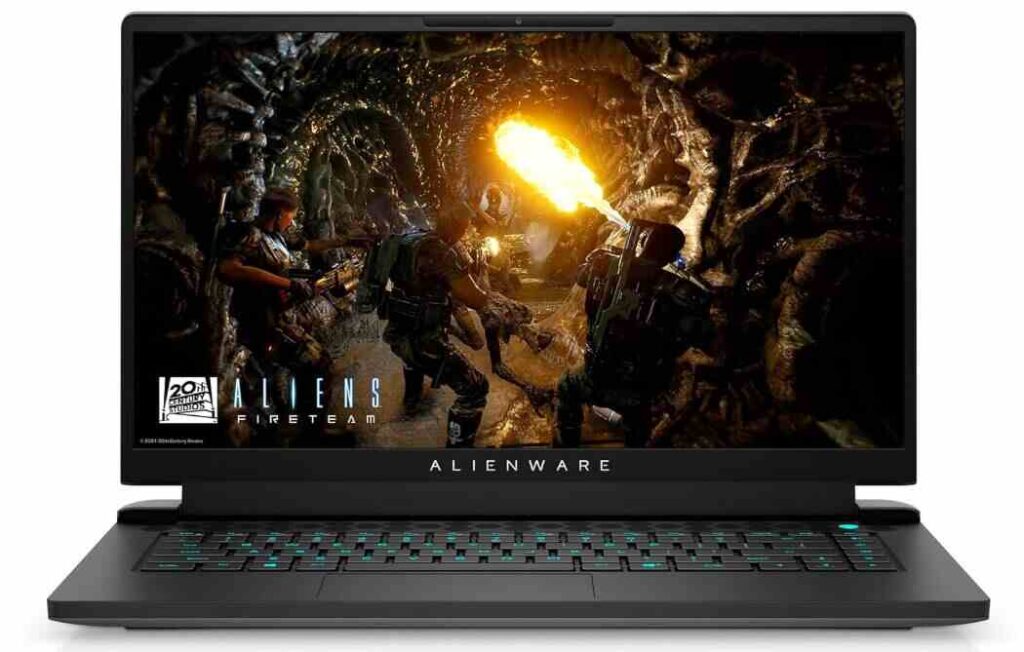
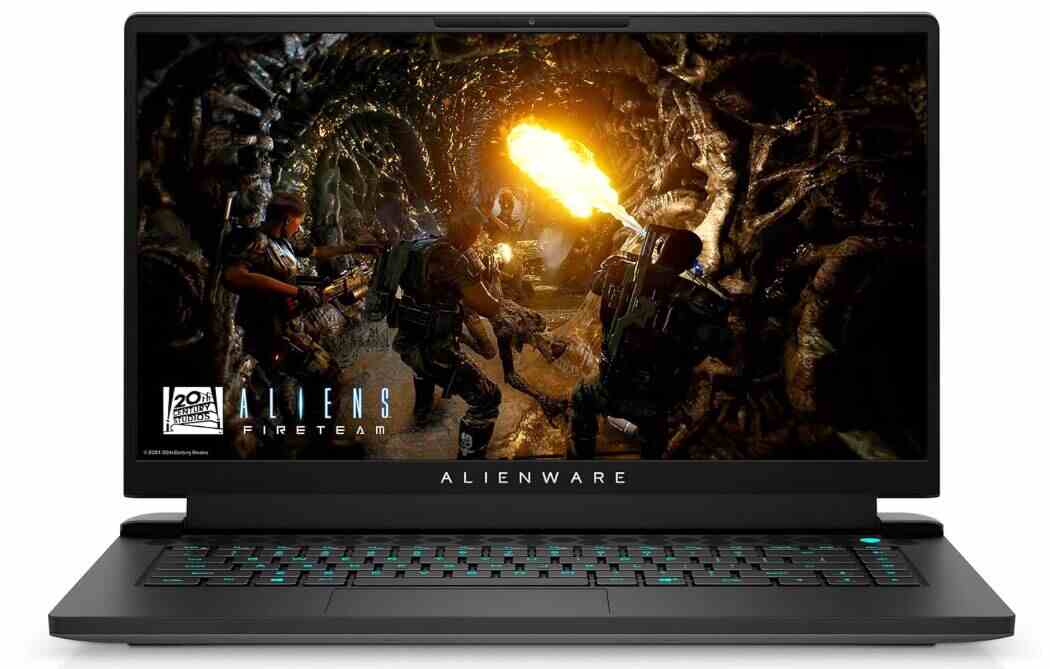
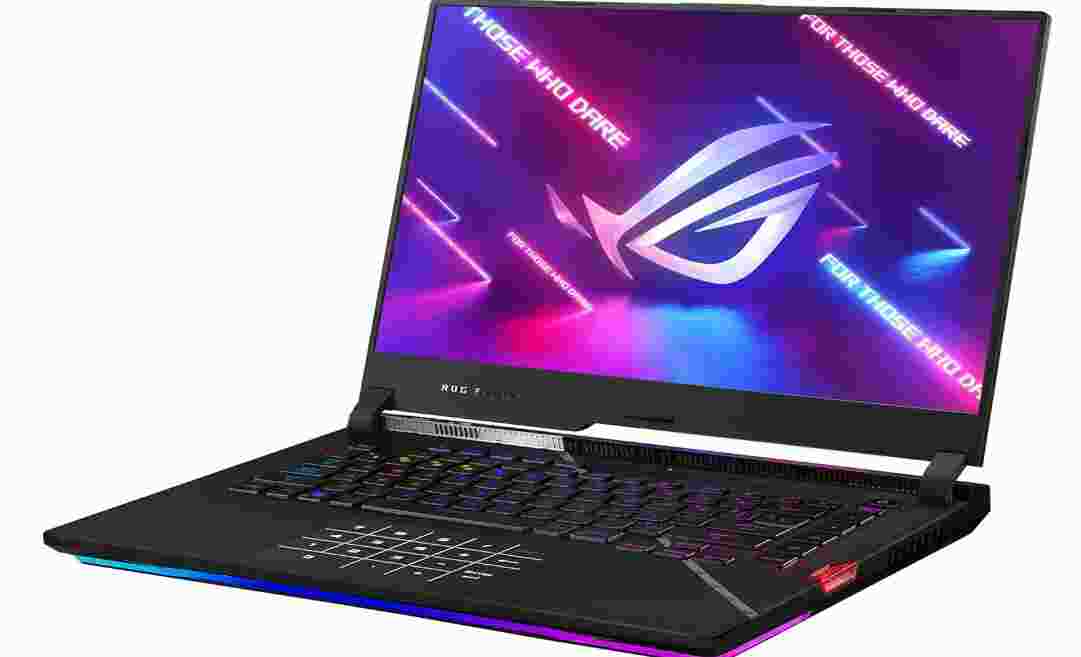
The lid features a reflective Victus “V” logo — borrowed from HP’s premium Omen gaming brand — which lends the machine a recognizable but understated identity. HP’s branding is minimal beyond that, which is a deliberate design choice: the Victus is meant to work at the office just as well as at a LAN party. Unlike the Asus ROG Strix or Alienware lines, the Victus doesn’t announce itself as a gaming machine, which many buyers will appreciate.
The plastic construction does show its budget roots, however. The lid flexes noticeably when pressure is applied, and the keyboard deck has some give under aggressive typing. The hinge, while smooth to open one-handed, can wobble when typing hard. These are trade-offs most budget laptop buyers accept — the important point is that after prolonged real-world use, the chassis shows solid durability despite these flexing tendencies.
Color options across generations have included Mica Silver (a dark charcoal gray), Performance Blue, and Ceramic White. The blue in particular stands out in a sea of gray and black gaming laptops and is a nice touch for buyers who want a little personality without going full RGB.
Port selection has been consistent but not exceptional across the Victus 15 lineup. You get the essentials — two USB-A ports, one USB-C, an HDMI 2.1 output, a 3.5mm audio jack, an Ethernet port — but no Thunderbolt 4 or USB-C power delivery. On the 2024 model in particular, the sole USB-C port caps out at 5Gbps and cannot be used for charging, meaning you must carry the large 200W DC barrel charger everywhere.
The 2022 model notably included a full-size SD card reader, which was quietly dropped in later versions. The 2025 model added Wi-Fi 6E and Bluetooth 5.3, upgrades over the Wi-Fi 6/Bluetooth 5.2 found in the original. For most users this won’t matter day-to-day, but competitive gamers and those in congested wireless environments will appreciate the improved network bandwidth.
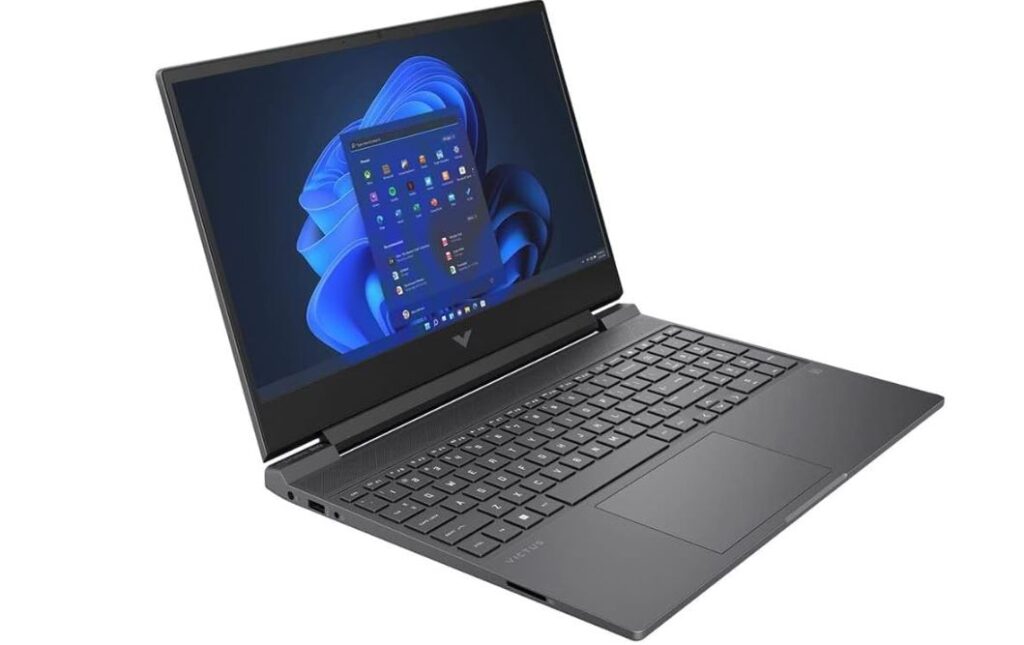
The 15.6-inch, 1920×1080 IPS panel at 144Hz is the constant across all Victus 15 generations. The 144Hz refresh rate delivers smooth visuals in fast-paced games and is a genuine selling point at this price bracket. However, screen brightness has been a key differentiator between generations and is worth calling out explicitly:
Color accuracy is a consistent limitation across the lineup. Reds tend to skew orange, and the overall color palette appears subdued compared to higher-end gaming displays. The Victus 15 covers a modest portion of the sRGB gamut — sufficient for gaming and casual streaming but not recommended for color-sensitive creative work like photo editing or video grading.
That said, the display earns its keep in the context it was built for. At typical gaming distances, the 1080p resolution looks clean and sharp. Backlight bleed is minimal, viewing angles are solid, and the matte finish helps reduce glare — a thoughtful choice for a laptop that might end up in mixed-lighting environments.
For buyers prioritizing display quality above all else, the Victus 15 is not the right choice. But for a gaming display at this price, the 144Hz refresh rate combined with the 2025 model’s improved brightness makes it a genuinely compelling screen.
The 2025 Victus 15 uses AMD’s Ryzen 7 8845HS — an eight-core chip with a 5.1GHz boost clock and 35W TDP — paired with an Nvidia GeForce RTX 4050 at 50 watts. This TGP (Total Graphics Power) ceiling is notably lower than what some competitors offer with the same GPU (some RTX 4050 laptops allow 75W), which explains a performance gap against rivals in GPU-heavy benchmarks.
In productivity tests (PCMark 10), the 2025 Victus 15 competes strongly — landing near the top of its class and outperforming comparable systems in general workloads. The Ryzen 7 8845HS handles everyday multitasking, web browsing, video calls, and document-intensive work with ease. It is also capable enough for entry-level creative workflows, though sustained rendering and video encoding tasks reveal its thermal and power ceiling.
For gaming at 1080p, the RTX 4050 handles most modern titles at medium-to-high settings. Esports titles like Fortnite and Counter-Strike 2 can push well above 60fps, though hitting the full 144Hz on demanding AAA titles requires dialing back graphical settings. Cyberpunk 2077 on Ultra, for example, requires reduced settings or DLSS to stay above 60fps — a predictable outcome given the GPU’s wattage constraints.
The 2024 Victus 15 takes a different approach, pairing an older 12th Generation Intel Core i7-12650H with the same RTX 4050 GPU. The CPU scores respectable numbers in productivity benchmarks and holds its ground in lightly-threaded tasks, but it noticeably trails newer-generation Intel and AMD chips in extended multithreaded workloads like video encoding (HandBrake) and CPU rendering (Cinebench).
On the GPU side, gaming performance closely mirrors the 2025 model in most titles — the RTX 4050 architecture is the common denominator. Shadow of the Tomb Raider returns an average of 113fps, which is genuinely impressive and even edges out some RTX 4060 competitors. Metro Exodus is more demanding, pushing around 32fps average at High settings. Competitive shooters and older AAA titles are where this machine shines.
One note: the 2024 model lacks an NPU (Neural Processing Unit) and has no Copilot key. With Microsoft increasingly pushing AI-powered features into Windows 11, this generation will age less gracefully than its successor in terms of software compatibility.
The original 2022 Victus 15 was a strong debut. The AMD Ryzen 7 5800H remains a capable processor for general workloads, and the RTX 3050 Ti — with 4GB VRAM — was squarely mid-range at launch. Real-world gaming tests showed Hitman 3 running above 60fps on Ultra settings, a remarkable result, while Assassin’s Creed Valhalla performed best at medium settings around 59fps.
The generational shift from GTX to RTX in the 3050 Ti brought ray tracing and DLSS support to budget gaming for the first time at this price point, and the dual-fan cooling system kept thermals well in check even under sustained gaming loads.
By 2026, the 2022 model is a used-market find rather than a new purchase recommendation. The RTX 3050 Ti’s 4GB VRAM is increasingly limiting in modern titles, and Windows 11’s evolving feature set makes the Windows 10-era hardware feel dated.
All three generations of the Victus 15 use a dual-fan setup that draws air from the bottom vents and exhausts through the rear — a design choice that directs heat away from the user’s hands and mouse area. This is a smart thermal design that many more expensive gaming laptops replicate.
Fan noise during gaming is present but measured. The 2025 model, in particular, was noted for running audible but not intrusive fans under load, with a chassis that remained impressively cool to the touch. The 2022 model similarly impressed reviewers with its thermal management, rarely generating significant heat even during intensive gameplay sessions.
Battery life is where the HP Victus 15 has made its most dramatic improvement across generations — and it’s one of the most important factors for buyers who need a versatile laptop, not just a deskbound gaming rig.
| Generation | Battery Capacity | Tested Battery Life (Video Playback) |
| 2022 Model | N/A | ~4 hours (under load) |
| 2024 Model | 77Wh | ~6 hours (video loop) |
| 2025 Model | 70Wh | 12+ hours (video loop) |
The 2025 model’s 12+ hour battery life is exceptional for a gaming laptop and likely the result of the Ryzen 7 8845HS’s improved power efficiency. This dramatically changes the Victus 15’s use case — it is no longer just a plugged-in gaming laptop but a genuinely all-day machine capable of covering a full work day away from an outlet.
Gaming sessions still drain the battery significantly faster. All three generations will see 2 hours or less of gaming on battery power, which is standard for the category. For dedicated gaming use, you’ll want to stay plugged in regardless of generation.
Charging speed is reasonable across generations. The 2022 model reached 60% charge in approximately one hour using the included adapter. USB-C charging is possible on some configurations, offering additional convenience if a compatible charger is available.
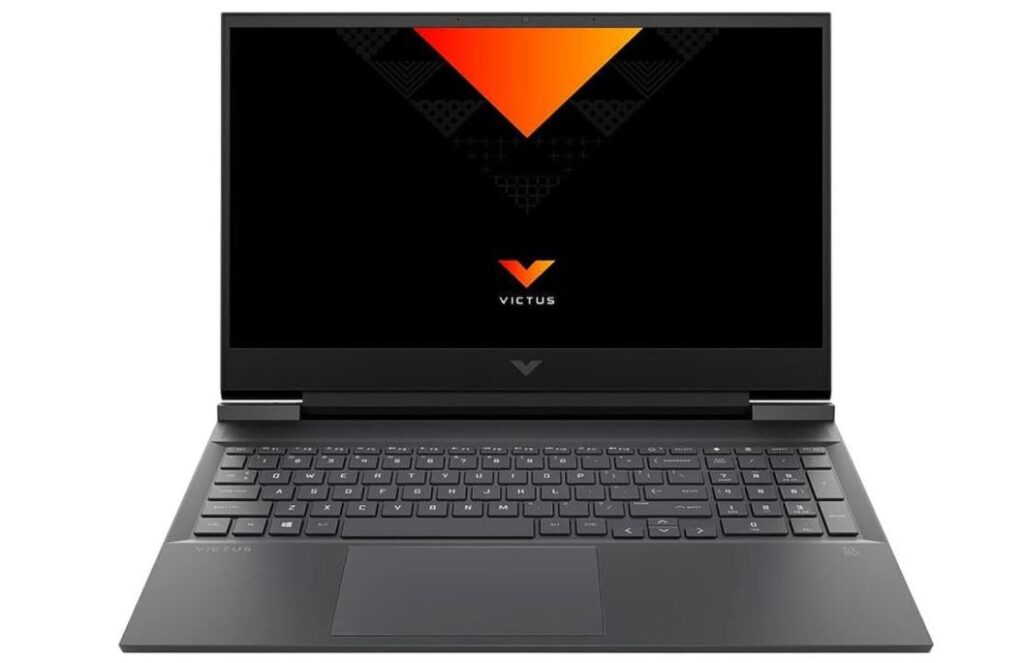
The HP Victus 15 features a full-size keyboard layout with a numeric keypad — a useful inclusion at this size that not every 15.6-inch laptop manages. Key travel is comfortable, actuation feedback is present, and the layout is sensible for both gaming and typing-heavy work.
One recurring criticism is key wobble under firm typing pressure, along with a softer-than-ideal bottom-out feel. The keyboard deck does flex noticeably when typing aggressively — a byproduct of the all-plastic chassis. These are real downsides for heavy typists, though casual users are unlikely to notice.
Backlighting varies: the 2022 model shipped without any keyboard backlight, while the 2024 and 2025 models include white LED backlighting. The 2025 model offers configurable backlight colors on select configurations, a thoughtful upgrade.
A persistent placement issue across all models is the power button positioned adjacent to the Backspace key — a layout that risks accidental shutdowns. HP has not corrected this despite user feedback across multiple generations, so buyers who type quickly should take note.
The trackpad is reasonably large and shifted slightly left to accommodate the numpad. Sensitivity is adjustable via software settings, which helps compensate for a default that some find too sluggish. The plastic surface and soft-click mechanism are fine for occasional use, but dedicated gaming peripherals are always recommended for serious play.
| Laptop | GPU | CPU | Price | Better Than Victus For |
| HP Victus 15 (2025) | RTX 4050 | Ryzen 7 8845HS | ~$899–$1,200 | Battery life, storage |
| Acer Nitro V 15 | RTX 4050 (75W) | Ryzen 5 7535HS | ~$839 | Raw gaming power |
| MSI Cyborg 15 | RTX 4050 | Intel Core i7 | ~$859 | Build variety |
| HP Victus 16 | RTX 4060+ | Various | Higher | GPU power, display |
| Dell G15 | RTX 4060 | Intel Core i5 HX | ~$1,600+ | GPU performance, display color |
The Acer Nitro V 15 is the most direct competitor in the same price range. It wins on raw gaming performance thanks to a higher-wattage RTX 4050 configuration (75W vs. the Victus 15’s 50W), but it loses ground in storage capacity, display brightness, and battery life. For buyers who game constantly and don’t care about battery, the Nitro V might edge ahead; for everyone else, the Victus 15’s balance of features is more compelling.
The HP Victus 16 deserves mention as a natural upgrade path. It starts at a higher price but can be configured with faster GPUs (RTX 4060 and above) and a better-quality display. If your budget extends that far, it’s worth comparing configurations carefully.
The HP Victus 15 has consistently delivered on its core promise across three generations: solid gaming performance in an accessible, non-flashy package at a price that doesn’t require a second mortgage. Each iteration has addressed the feedback from the last — most notably, the 2025 model dramatically improved both battery life and display brightness, the two most criticized aspects of earlier versions.
If you’re buying new in 2025/2026: Go with the 2025 model (Ryzen 7 8845HS + RTX 4050 configuration), especially if you can catch it on sale below $1,000. The improvements to battery life and display brightness address the key weaknesses of previous generations, and the Ryzen 7 8845HS is a genuinely modern, efficient processor. Just be aware that the RTX 4050’s 50W power limit puts a ceiling on gaming performance versus slightly pricier alternatives.
If you’re buying on the used market: The 2024 model at under $700 is reasonable if you understand the CPU is aging. The 2022 model should only be considered at steep discounts given the RTX 3050 Ti’s increasingly limited VRAM in modern titles.
For budget-conscious gamers, the HP Victus 15 remains one of the best value propositions in the laptop market. Just don’t pay MSRP — patient buyers who wait for sales will get significantly more for their money.
Overall Rating: 7.5 / 10 — Highly Recommended for Budget Gaming
★★★★☆ | Best Value Gaming Laptop Under $1,000