 11
11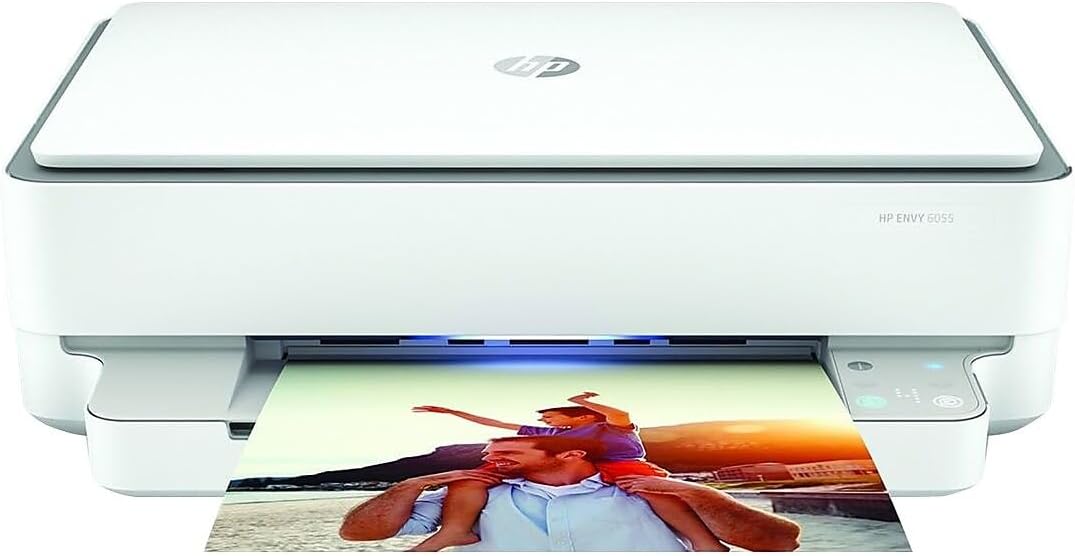
An Honest, Hands-On Evaluation of Performance, Features & Value
Overall Rating: ★★★★☆ (4.3 / 5)
The HP ENVY 6055 All-in-One Printer (Model 5SE16A) is a strong budget pick that punches above its price point. It delivers vibrant color photo prints, a functional flatbed scanner, and wireless mobile printing — all wrapped in a compact, minimalist chassis that fits comfortably in home offices, dorm rooms, and small workspaces. While it won’t replace a dedicated photo printer, it offers exceptional versatility and ease of setup for everyday users who need more than just basic printing.
| PROS | CONS |
| ✓ Simple, intuitive setup via HP Smart app | ✗ No touchscreen or front display |
| ✓ Affordable price point for an all-in-one | ✗ Slower than advertised print speeds |
| ✓ Impressive color accuracy and photo print quality | ✗ Only two ink cartridges — wasteful for single-color jobs |
| ✓ Built-in flatbed scanner (rare in budget printers) | ✗ Black prints lack depth; slight gray cast |
| ✓ Compact design ideal for tight spaces | ✗ Not suited for high-volume printing |
| ✓ Works with Alexa for voice-activated printing | ✗ Occasional light banding visible in grayscale |
| ✓ Detachable power cable for easy replacement | ✗ No dedicated tray for photo paper |
Before diving into the technical details, it helps to understand who will get the most value from this printer. The HP ENVY 6055 is ideally suited for:
If you print hundreds of pages per week or require archival-grade photo quality, a dedicated laser or professional photo printer will serve you better. But for the everyday user, the ENVY 6055 is one of the best-value all-in-ones available.
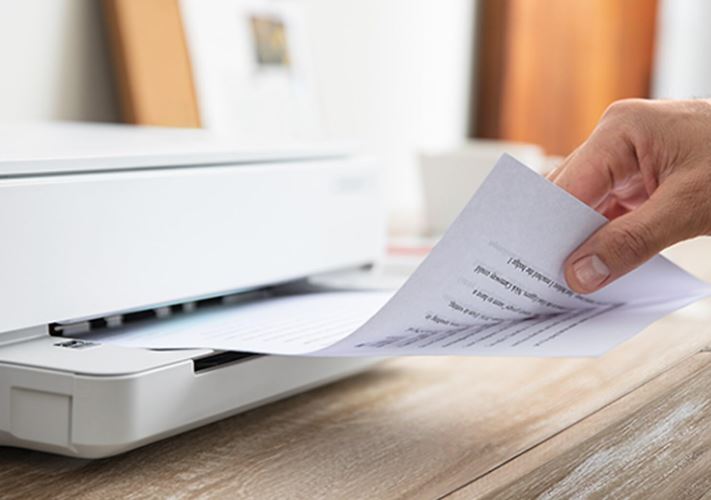
| Specification | Details |
| Model Number | HP ENVY 6055 (5SE16A) |
| Printer Type | Wireless All-in-One (Print, Scan, Copy) |
| Print Technology | Inkjet (Thermal) |
| Color Resolution | 4800 x 1200 dpi optimized |
| B&W Resolution | 1200 x 1200 dpi |
| Print Speed (B&W) | ~6 pages per minute (draft mode) |
| Print Speed (Color) | ~4 pages per minute (draft mode) |
| Photo Print Speed | ~60 seconds for 4×6 inch color photo |
| Scanner Resolution (Copy) | 300 x 300 dpi |
| Copy Speed (B&W) | Up to 8 pages per minute |
| Copy Speed (Color) | Up to 4 pages per minute |
| Ink Cartridges | 2 total: 1 black + 1 tri-color |
| Connectivity | Wi-Fi, USB, Bluetooth (via HP Smart app) |
| Mobile Printing | HP Smart App, Apple AirPrint, Mopria |
| Voice Assistant Support | Amazon Alexa |
| Dimensions | 5.1 x 17.1 x 14.2 inches |
| Weight | 11.5 lbs (approx. 5.2 kg) |
| Power Cable | Detachable (replaceable) |
| Operating System | Windows 7+, macOS 10.13+ |
⚠ Note: Print speeds listed are HP’s advertised figures under ideal/draft conditions. Real-world speeds may be 20–30% lower, particularly for high-quality settings.
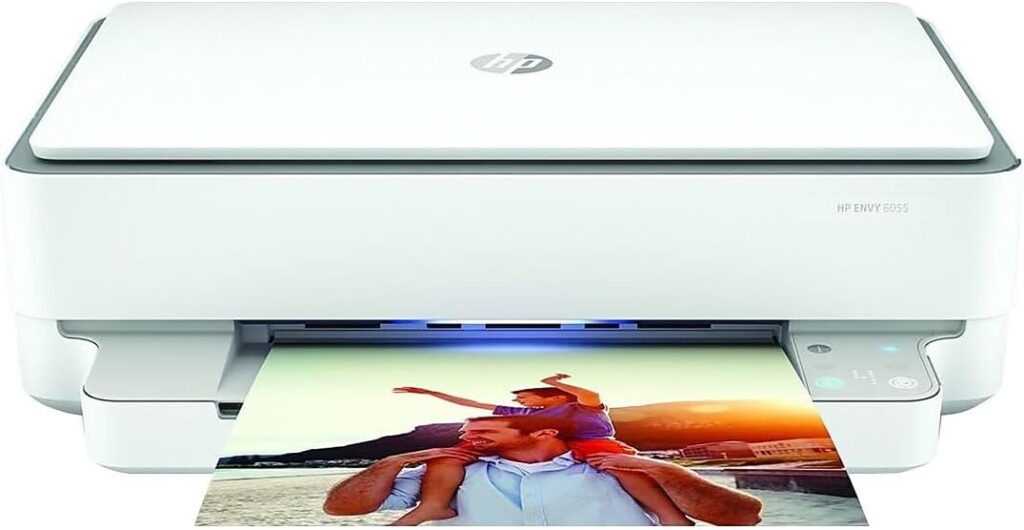
The HP ENVY 6055 opts for a minimalist, matte-black exterior that blends into most home or office environments. Its compact 5.1 x 17.1 x 14.2-inch footprint makes it one of the smaller all-in-ones in its price class, ideal for desks, shelves, or countertops with limited real estate.
The body is constructed from plastic throughout — expected at this price point — but it carries a surprising sense of solidity. There is no flex in the chassis when handled, and the hinged scanner lid feels sturdy and well-fitted. One notable build quality plus: the power cable is detachable rather than permanently wired into the unit. This is a minor but genuinely useful feature, as it allows for simple cable replacement if damaged — something you won’t find on many budget all-in-ones.
The front panel features five illuminated touch-sensitive buttons — and nothing else. There is no LCD screen, no numeric keypad, and no status display built into the printer itself. Nearly all configuration, job management, and status monitoring happens through the HP Smart app on a connected smartphone, tablet, or PC.
For some users, this may feel limiting. If you prefer walking up to a device and selecting options without reaching for your phone, the ENVY 6055 may feel underpowered. That said, for the majority of home users who are already comfortable with app-driven devices, this approach keeps setup and ongoing operation refreshingly simple.
While the footprint is impressively compact, remember to account for vertical clearance if installing the printer in a cabinet or on a low shelf. The scanner lid requires sufficient headroom above the unit to open fully — approximately 12 to 15 inches of clearance above the printer is recommended for unrestricted scanning access.
Setup is one of the ENVY 6055’s strongest selling points. HP has streamlined the out-of-box experience significantly, and it shows.
The included Quick Start Guide is a single page. Scan the QR code printed on that sheet with your phone and you’ll be directed to download the HP Smart app. From there, the app walks you through every step: installing the ink cartridges, loading paper into the input tray, and connecting to your home Wi-Fi network. The entire process — unboxing to first print — takes under 10 minutes for most users.
The HP Smart app is available for iOS, Android, Windows, and macOS, and it serves as the central hub for the printer. Print, scan, copy, order ink, and monitor cartridge levels — all from a single, clean interface. The app also supports HP Instant Ink, the subscription service that automatically ships replacement cartridges when you’re running low.
One caveat: wireless setup requires that your smartphone and the printer are initially on the same Wi-Fi network during the pairing process. Users with network separation between 2.4 GHz and 5 GHz bands may need to temporarily connect their device to the 2.4 GHz network (which the printer uses) for initial setup.
Color output is genuinely impressive for an all-in-one at this price. The 4800 x 1200 dpi optimized color resolution delivers prints with well-saturated, punchy colors that hold up well for family photos, school projects, and everyday keepsakes. Individual colors reproduce cleanly with minimal bleed between adjacent tones, and fine-detail areas — hair, foliage, fabric textures — retain good clarity at normal viewing distances.
For 4×6 prints, the turnaround is approximately 60 seconds on the standard quality setting. This is competitive for a budget inkjet, though dedicated photo printers can produce the same size print in 30–40 seconds with higher fidelity.
Where the ENVY 6055 falls short of the premium tier is in tonal range. Shadow areas in photos can appear slightly flat or “washed out,” lacking the deep, rich blacks that dedicated photo printers achieve via additional ink channels. If you’re printing images with significant contrast — dark backgrounds, night photography — this limitation will be noticeable, particularly when compared directly to prints from a professional or specialized photo printer.
Black-and-white documents print cleanly and legibly at standard document settings. However, the black ink cartridge produces a slightly gray-tinted output rather than a true, dense black when examined closely or compared against laser-printed text.
Careful inspection of grayscale gradients may reveal faint horizontal banding — a common trait in entry-level inkjets caused by slight variation between print head passes. Under normal viewing conditions and at standard reading distances, this banding is imperceptible to most users. It becomes visible primarily in large, smooth gradient fills (e.g., a grey sky background), but will not affect text documents or standard photo prints.
Text sharpness is excellent for typical office and school documents. Fonts render cleanly at sizes 10pt and above. For legal or academic documents where fine print and consistent ink density matter, the ENVY 6055 performs well above expectations for its price bracket.
The built-in flatbed scanner is a meaningful differentiator for the ENVY 6055 compared to dedicated photo printers, which frequently omit this feature. The scanner lid accommodates standard letter-size (8.5 x 11 inch) documents and photos.
Scanning resolution for copy functions is 300 x 300 dpi — sufficient for document digitization, form preservation, and basic photo archiving. For higher-resolution scanning (suitable for printing enlargements or archival use), the HP Smart app gives access to scan settings where resolution can be adjusted.
Copy speeds are rated at 8 pages per minute in black and white and 4 pages per minute in color. As with print speeds, real-world performance in higher-quality modes may fall closer to 5–6 ppm in black and white. For occasional copies, these speeds are more than adequate.
The HP ENVY 6055 uses a two-cartridge system: one black cartridge and one tri-color cartridge. This design keeps replacement simple — there are only two cartridges to monitor and swap — but it introduces a notable inefficiency.
Because the tri-color cartridge combines cyan, magenta, and yellow ink into a single unit, running low on any one of those three colors renders the entire cartridge unusable for color printing. If you print a large number of items that heavily use one specific color (say, a lot of items with red or blue backgrounds), you may find yourself discarding cartridge ink that would otherwise still be usable.
Users who print predominantly in black and white should consider this factor: even for B&W printing, inkjet all-in-ones typically require all cartridges to be functional or present. Running the tri-color cartridge dry will restrict even black-only print jobs on some HP models.
The ENVY 6055 is compatible with HP’s Instant Ink subscription service. Plans start from a small monthly fee and include a set number of pages per month, with automatic cartridge delivery when levels run low. For users who print regularly but not in high volume — the profile this printer is designed for — Instant Ink can meaningfully reduce per-page ink costs compared to buying retail cartridges.
The HP ENVY 6055 connects to your home or office network via Wi-Fi, enabling wireless printing from any device on the same network. The HP Smart app provides the primary interface for mobile printing, and the printer also supports:
The Alexa integration is a genuine convenience feature. While it won’t appeal to every user, households already integrated into the Amazon ecosystem will appreciate hands-free printing for simple tasks.
There is no Ethernet port on the ENVY 6055, which means it is dependent on wireless connectivity. For users who require wired network stability — in environments with congested Wi-Fi, for example — this is a constraint worth noting.
HP advertises the ENVY 6055 at up to 6 pages per minute for black printing and 4 pages per minute for color. These figures are measured under optimal, draft-quality conditions — a standard practice across the printer industry, but one that creates a meaningful gap from everyday experience.
In practice, users printing at normal or best quality settings can expect roughly:
For low-to-moderate volume home use, these speeds are entirely acceptable. If you’re printing a 10-page report, the difference between 6 ppm and 4 ppm is 25 seconds. For a print job that happens two or three times a week, this is inconsequential. Users with consistent high-volume print needs should look at a dedicated laser printer for faster throughput.
To give the ENVY 6055 proper context, here is how it positions against nearby competitors in the budget all-in-one category:
| Model | Print Speed (B&W) | Scanning | Starting Price |
| HP ENVY 6055 | ~6 ppm | Yes (flatbed) | ~$80–$100 |
| HP ENVY 6020e | ~6 ppm | Yes (flatbed) | ~$100–$120 |
| Canon PIXMA TR4720 | ~8.8 ppm | Yes (flatbed) | ~$70–$90 |
| Epson EcoTank ET-2850 | ~10 ppm | Yes (flatbed) | ~$200–$250 |
| Brother MFCJ1010DW | ~9 ppm | Yes (flatbed) | ~$70–$90 |
The HP ENVY 6055 sits at a competitive price among all-in-ones with scanning, though it trails Canon and Brother alternatives in raw print speed. Its strength lies in color and photo print quality relative to cost, and the highly polished HP Smart app experience.
The HP ENVY 6055 All-in-One earns its place as a top pick in the budget all-in-one category. Its color print quality, full-featured scanner, near-effortless setup, and wireless versatility make it an outstanding choice for home users, students, and light-duty home offices. Its limitations — a simplistic control interface, two-cartridge ink system, and the absence of a true deep black — are real but entirely expected and acceptable given the price point.
Rating Breakdown:
| Category | Score | Notes |
| Print Quality | 4.5 / 5 | Strong color accuracy, minor tonal flatness |
| Ease of Use & Setup | 5.0 / 5 | Best-in-class setup experience |
| Speed | 3.5 / 5 | Below advertised but acceptable for home use |
| Scanner / Copier | 4.0 / 5 | Good for documents; adequate for photos |
| Value for Money | 4.5 / 5 | Excellent features-to-cost ratio |
| Design & Build | 4.0 / 5 | Compact, clean, solid plastic construction |
| Overall | 4.3 / 5 | Recommended for home and light office use |
Basic printing via USB connection is possible without the app. However, wireless printing, scanning to a device, and configuration all require the HP Smart app. For the best experience, the app is essential.
Yes, borderless printing is supported on compatible photo paper sizes, including 4×6 inch photo paper. Ensure you select the borderless option in the print driver or HP Smart app settings.
The HP ENVY 6055 uses HP 67 and HP 67XL ink cartridges. Some third-party compatible cartridges are available, but HP firmware updates can sometimes cause compatibility issues with non-OEM cartridges. HP Instant Ink remains the most cost-effective first-party ink option.
The ENVY 6055 operates at a noise level typical for inkjet all-in-ones — audible in a quiet room, but not disruptive in a working environment. Photo printing generates slightly more noise than standard document printing due to slower, more precise head passes.
The HP ENVY 6055 does not support automatic duplex printing. Manual duplex printing — where you reinsert the paper after printing the first side — is possible, but there is no automatic mechanism for double-sided output.