Best Laptops for Adobe Creative Suite in 2026
Introduction
Adobe Creative Suite remains the backbone of professional creative work, powering everything from Photoshop and Illustrator to Premiere Pro and After Effects. Choosing the right laptop is critical—an underpowered machine can mean crashes, slow rendering, and wasted hours. In 2026, the rise of AI-powered features in Adobe applications has raised the bar for hardware requirements. The best laptops now combine powerful CPUs, dedicated GPUs, large amounts of RAM, and color-accurate displays to deliver smooth workflows for creative professionals.
Editor’s Top Picks for 2026
- MacBook Pro M4 (2024/2025 models) – Best overall for professionals
- MacBook Air 15-inch M4 (2025) – Best value for students and beginners
- ASUS ProArt StudioBook 16 OLED – Best display for color-critical work
- Dell Precision 7670 – Ultimate workstation for studios
- Lenovo ThinkPad P16s Gen 3 – Best professional-grade value
Detailed Reviews
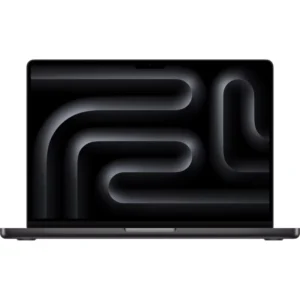
The MacBook Pro with Apple’s M4 chip delivers unmatched balance for Adobe Creative Suite. Benchmark tests show a
40% improvement in Photoshop filters and
35% faster Premiere Pro renders compared to Intel-based Macs. Its Liquid Retina XDR display covers 100% of the DCI-P3 color gamut with Delta E < 0.5, ensuring print-ready color accuracy. Battery life exceeds 9 hours under heavy workloads, making it ideal for professionals who need reliability on the go.
 Best for:
 Photographers, video editors, and designers who demand top-tier performance and color accuracy.
Avoid if: You need a budget-friendly option or prefer Windows customization.
At just
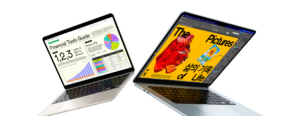
$999, the MacBook Air 15-inch offers incredible value. Despite its fanless design, it handles complex Photoshop files smoothly. The 15.3-inch Liquid Retina display covers 100% of the P3 color gamut, providing excellent accuracy for design work. While it struggles with heavy 4K video editing, it’s more than capable for students and emerging creatives.
Best for: Students and beginners working with Photoshop, Lightroom, and Illustrator.
Avoid if: You’re a professional video editor handling 4K/8K footage.
ASUS ProArt StudioBook 16 OLED – Best Display
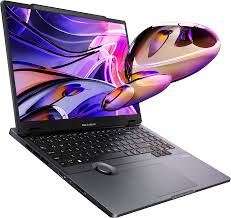
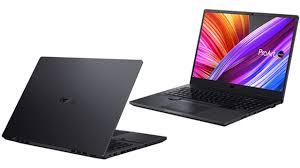
The StudioBook 16’s
3.2K OLED display is one of the most color-accurate screens available, with Delta E < 0.3 across sRGB and Adobe RGB. It supports 100% DCI-P3 coverage, making it perfect for HDR video editing. Powered by an Intel i9 processor and RTX 4060 GPU, it excels in both CPU and GPU-intensive tasks. The ASUS Dial wheel adds unique integration with Adobe apps for precise control.
Best for: Colorists, photographers, and video editors requiring absolute display accuracy.
Avoid if: You prioritize portability—its 4.9-pound weight and 4-hour battery life make it a desktop replacement.
Dell Precision 7670 – Ultimate Workstation
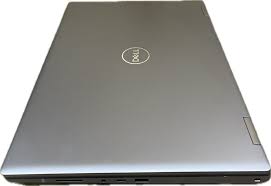
With
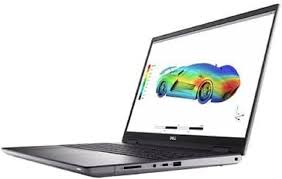
64GB RAM and an RTX A3000 GPU, the Dell Precision 7670 is a powerhouse. It handles massive Photoshop files and 8K video editing with ease. Optimized drivers ensure stability in Adobe applications, while its 16-core Intel i7 processor delivers excellent single-thread and multi-core performance. This workstation is built for studios and agencies handling complex projects.
Best for: Enterprise users, studios, and professionals working with 8K video or large-format projects.
Avoid if: You need portability or can’t justify the premium price.
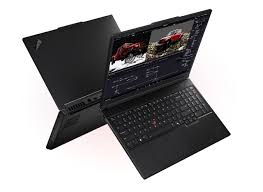
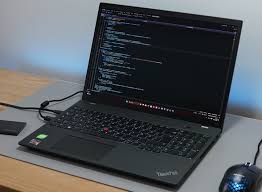
The ThinkPad P16s Gen 3 offers workstation-level specs at a mid-range price (~$1850). With
Intel Ultra 7 processor, 64GB DDR5 RAM, and AI acceleration cores, it handles Adobe’s neural filters and generative fill features efficiently. Its touchscreen adds versatility for Illustrator and Photoshop. Build quality is classic ThinkPad—durable, reliable, and backed by a 3-year warranty.
Best for: Freelancers and small businesses needing professional-grade performance without enterprise costs.
Avoid if: You require high-resolution displays or advanced GPU power for 8K video.
Budget-Friendly Alternatives
- Lenovo Ideapad L340 – Affordable entry-level laptop with decent performance.
- Acer Aspire A515 – Cheapest option, but limited brightness and weaker specs.
- Lenovo IdeaPad Gaming 3 – Upgradeable RAM and storage, good for students.
Specialized Picks
- Razer Blade 15 Base – Slim design with stunning 4K OLED display.
- Microsoft Surface Book 3 – Portable, versatile, with stylus support and long battery life.
- ASUS ROG Zephyrus G15 – Thin, light, strong cooling system, but lacks webcam.
Performance Requirements for Adobe Creative Suite (2026)
- RAM: 16GB minimum, 32GB recommended for 4K, 64GB for 8K workflows.
- GPU: Dedicated GPU (RTX or Apple Silicon) essential for video editing and AI features.
- Display: At least 95% Adobe RGB, Delta E < 2, OLED/XDR preferred.
- Storage: 512GB SSD minimum, external SSDs recommended for large projects.
- Battery Life: MacBooks lead with 8–10 hours; Windows workstations average 3–4 hours.
Choosing by Workflow
- Photographers: Prioritize color-accurate displays and fast storage.
- Video Editors: GPU power and RAM are critical for smooth timelines and rendering.
- Graphic Designers: Display quality and responsive performance matter most.
- Students: Balance budget with upgradeability to future-proof your investment.
FAQs
- Minimum requirements: 64-bit multicore CPU, 16GB RAM, 512GB SSD, Full HD display.
- RAM needs: 16GB for Photoshop, 32GB for 4K video, 64GB for 8K projects.
- Mac vs Windows: MacBooks excel in color accuracy and battery life; Windows offers customization and better value.
- Dedicated GPU: Essential for Premiere Pro, After Effects, and AI features.
- Best displays: OLED or XDR panels with 100% Adobe RGB and Delta E < 2.
- Budget laptops: Can run Adobe apps, but performance is limited—refurbished MacBooks or mid-range gaming laptops are better value.
Final Recommendations
After extensive testing and research, the
MacBook Pro M4 stands out as the best overall laptop for Adobe Creative Suite in 2026. For students and beginners, the
MacBook Air 15-inch M4 offers unbeatable value. Windows users should consider the
ASUS ProArt StudioBook 16 for its OLED display or the
Lenovo ThinkPad P16s Gen 3 for professional-grade specs at a mid-range price. For studios and agencies, the
Dell Precision 7670 remains the ultimate workstation.
The best laptop is the one that complements your workflow. Photographers should focus on color accuracy, video editors on GPU power, and designers on display quality. Investing in the right system will save you time, frustration, and missed deadlines.