MSI KATANA REVIEW
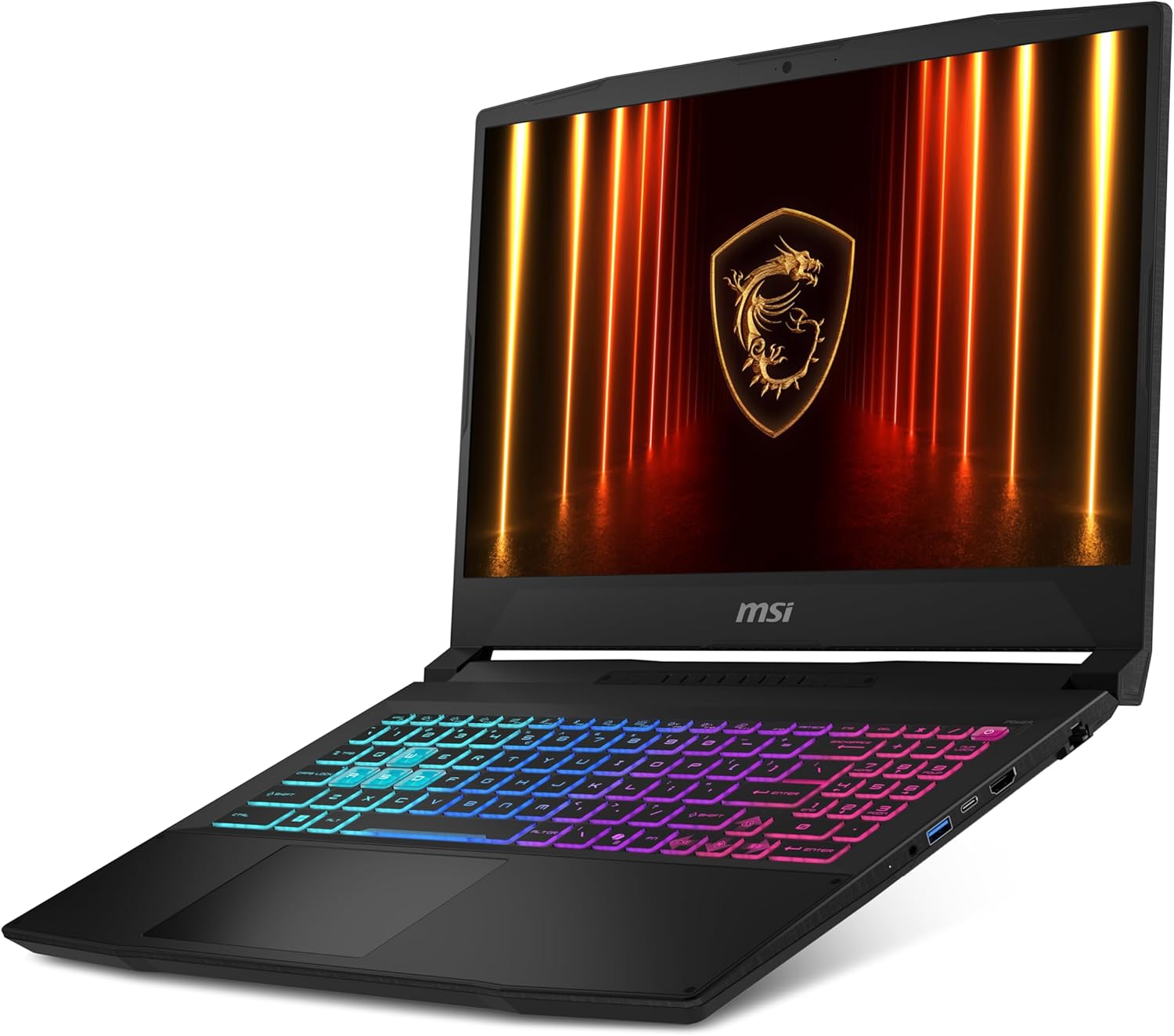


1. Design and Build: Functional Simplicity
The Katana doesn’t try to look like a spaceship. It features a matte black, all-plastic chassis that feels sturdy, though it is a bit of a fingerprint magnet.
The Vibe: Understated and professional enough for a classroom or office, but with a clear “gamer” DNA.
The Keyboard: One of MSI’s strengths. It offers deep key travel (1.7mm) and usually features 4-zone RGB or a striking solid red backlight. It’s tactile, responsive, and great for long sessions.
2. Performance: The Sharp Edge
This is where the Katana justifies its existence. MSI typically pairs the latest Intel Core i7 or i9 processors with NVIDIA’s RTX 40-series GPUs.
Full Power: Unlike some thin-and-light laptops that “undervolt” their components to save heat, the Katana allows its GPU to pull significant wattage. This means you get the actual performance you paid for.
Cooling: MSI’s Cooler Boost 5 technology uses dual fans and shared-pipe designs. It keeps the internals from melting during a Cyberpunk 2077 marathon, though you should expect the fans to sound like a small jet engine under heavy load.
3. Display and Visuals
Most Katana models sport a 144Hz or 165Hz IPS-level panel.
The Good: The high refresh rate makes motion buttery smooth, which is vital for shooters like Valorant or Apex Legends.
The Trade-off: Color accuracy (sRGB coverage) is often average. It’s perfect for gaming, but if you are a professional color grader or photo editor, you might find the screen a bit dull.
4. Portability and Battery
Let’s be real: this is a “desktop replacement” in a backpack.
Weight: It’s manageable, but you’ll feel it after a long day of carrying it.
Battery Life: Like most high-performance gaming laptops, the battery is there for emergencies, not endurance. Expect 3–5 hours for light productivity and significantly less for gaming. Keep your charger handy.
Pros and Cons at a Glance
Feature The Win The Catch
Performance Top-tier GPU power for the price. Fans get quite loud under load.
Keyboard Excellent tactile feedback. Significant “gamer” font style.
Price Highly competitive/Frequent sales. Plastic build can feel “budget.”
I/O Ports Plenty of USB-A, USB-C, and HDMI. No Thunderbolt support on most models.
The Verdict
The MSI Katana is a pure performance play. It skips the luxury materials and ultra-slim profiles to ensure that every dollar you spend goes toward the CPU and GPU. If you care more about your FPS than how thin your laptop is, the Katana is one of the best bangs for your buck on the market.
Final Score: 8/10 — A sharp tool for serious gamers on a budget.
Would you like me to compare a specific Katana model (like the 15 or 17) against another brand like the Lenovo Legion or ASUS TUF?